[Elements] How to delete a SUBMITTED PPAP element (deliverable)

Created by Kiuey Support, Modified on Thu, Nov 19 at 3:59 PM by Kiuey Support Representative

delete submitted element, delete deliverable, delete document, submitted element, PPAP, remove document

OVERVIEW

This guide explains how to delete a deliverable that was submitted for a PPAP element.

Who is this for?  Internal users

IMPORTANT NOTES

  • Only documents in Submitted status can be deleted from the element’s Documents list.
  • Deleting a document cannot be undone. After deleting it, you can submit a new deliverable.

WHO CAN DO THIS

Internal user: Can delete submitted documents of a PPAP element.

Steps
1

Open the PPAP

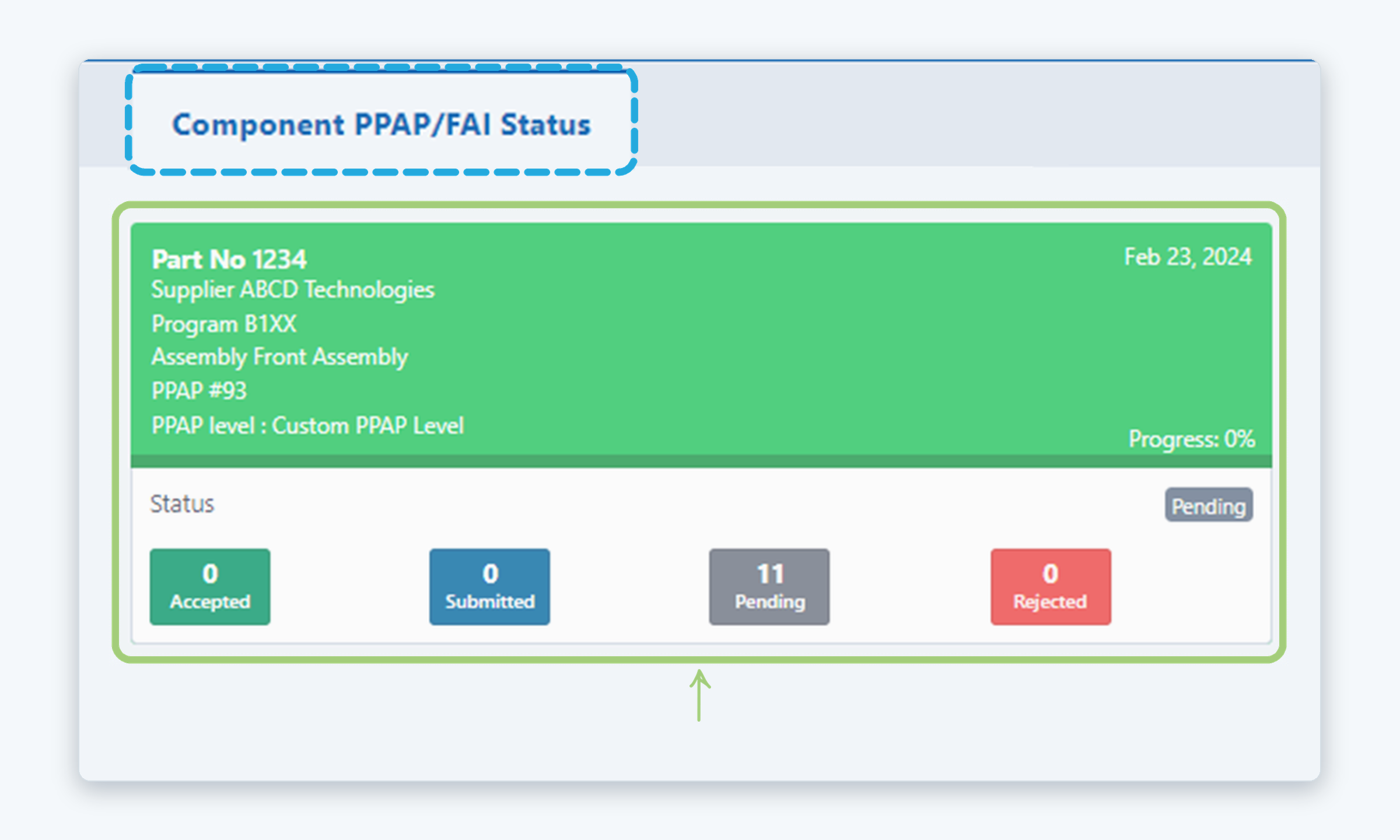
On the Dashboard, open the Component PPAP/FAI Status tab and click the card of the PPAP that has the submitted element (for example, PPAP #93).

2

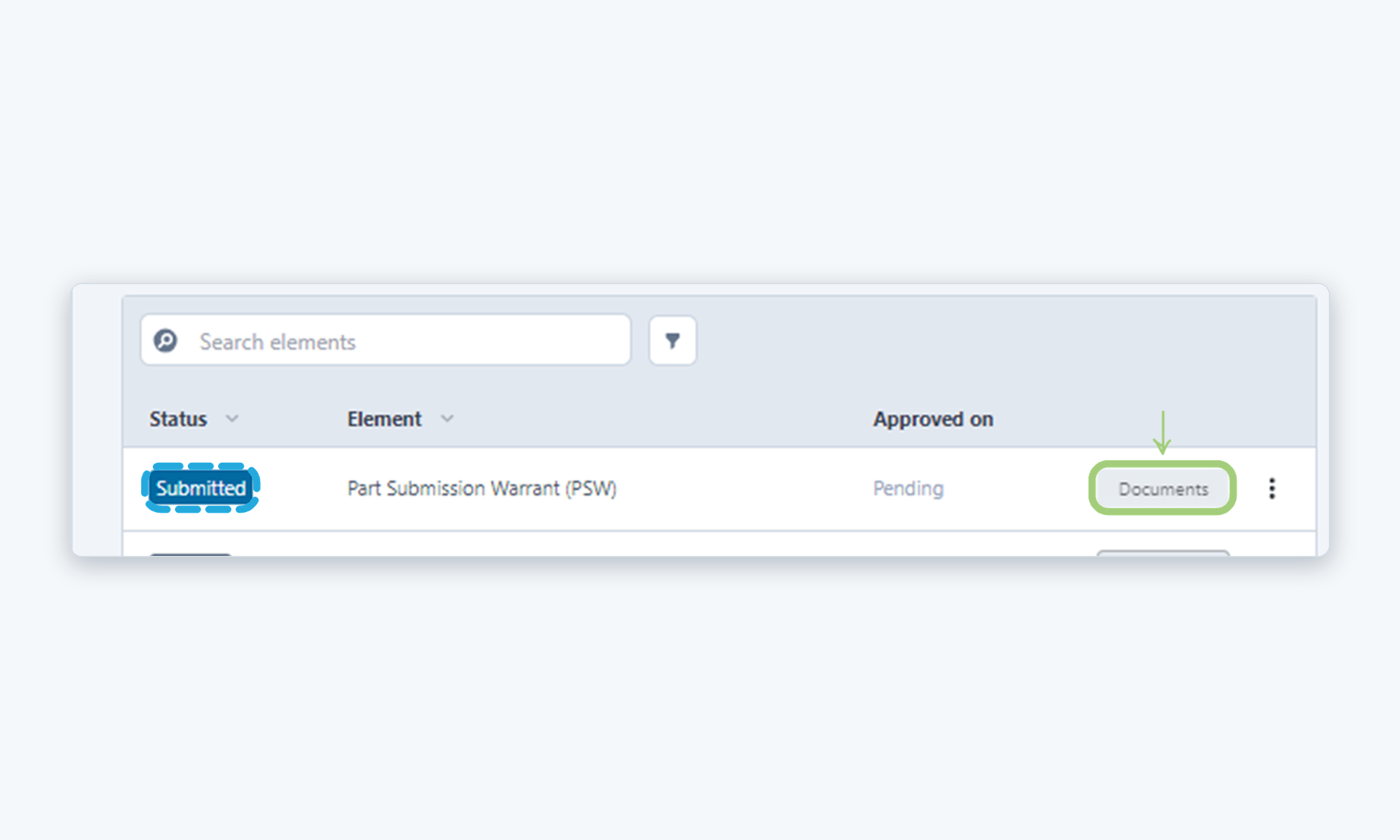
Click Documents

On the PPAP page, find the element in Submitted status (for example, Part Submission Warrant (PSW)) and click Documents on its row.

3

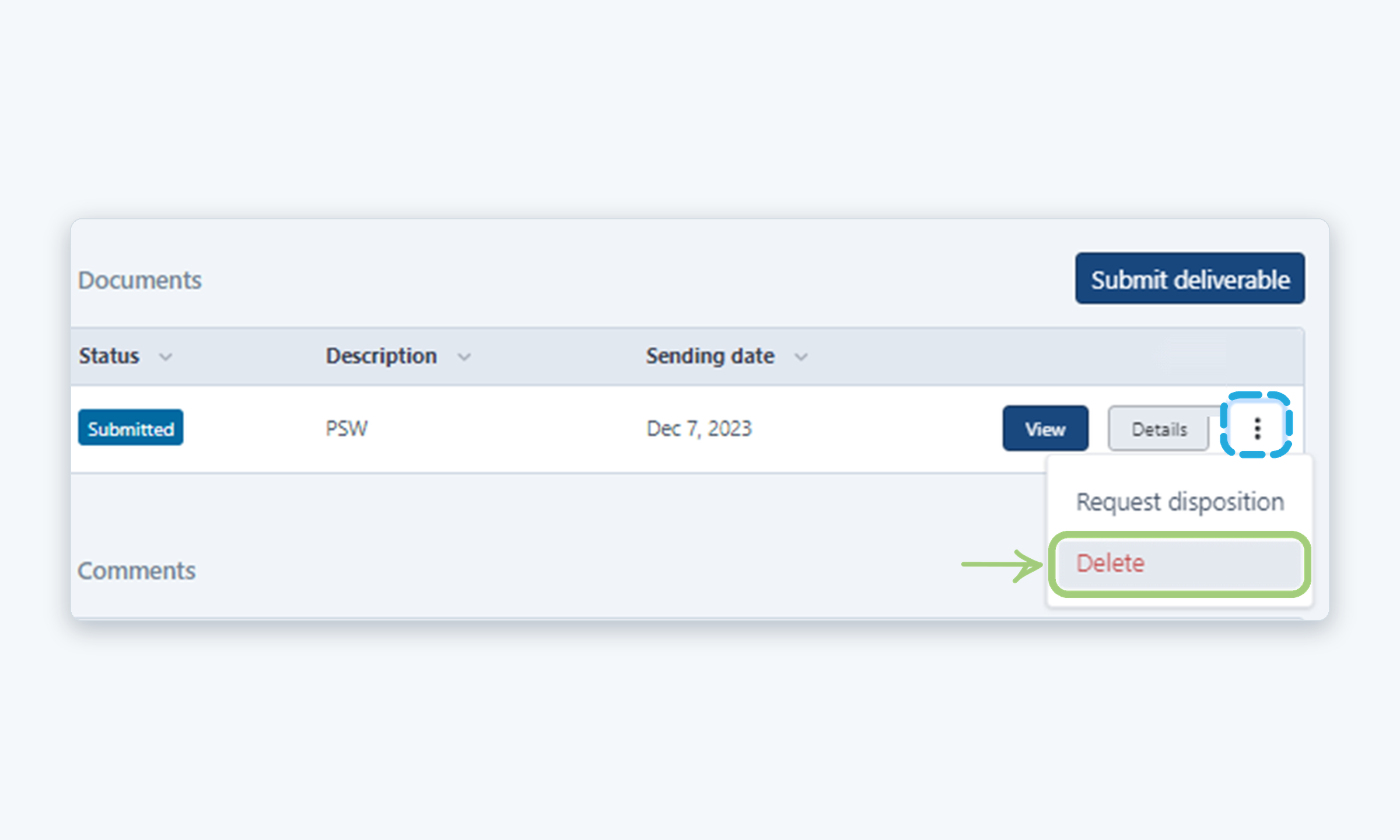
Select Delete

In the Documents list, click the three dots (⋮) at the end of the submitted document row and select Delete.

4

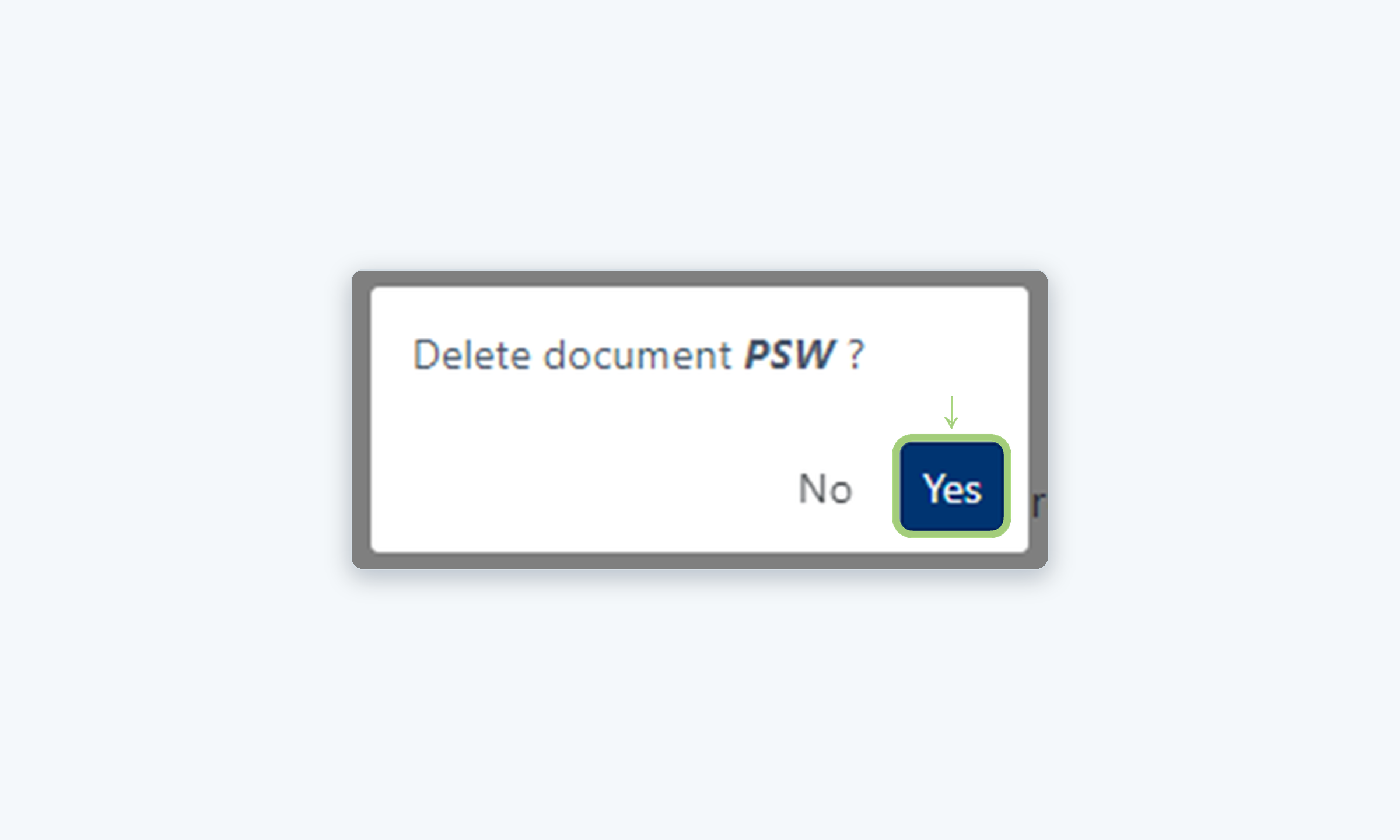
Confirm the deletion

In the confirmation window (Delete document?), click Yes.

5

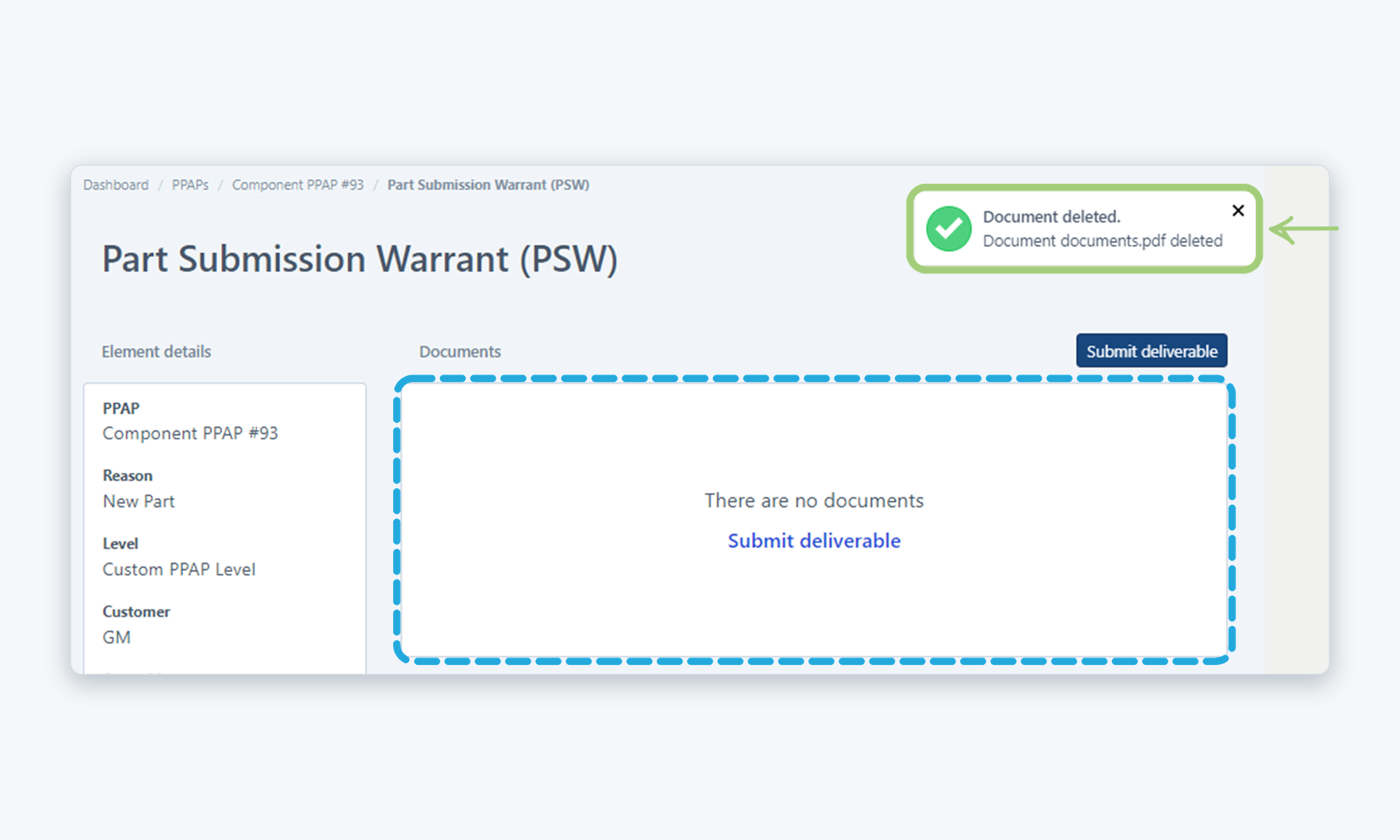
Check the result

A message confirms that the document was deleted, and the Documents list now shows There are no documents. You can submit a new deliverable from this page.

Need more help?

If you have any questions or concerns, please contact Kiuey Support by submitting a ticket or through any of our support channels. Our team will be happy to assist you.

Was this article helpful?

That’s Great!

Thank you for your feedback

Sorry! We couldn't be helpful

Thank you for your feedback

Let us know how can we improve this article!

Select at least one of the reasons

Feedback sent

We appreciate your effort and will try to fix the article