For Suppliers
Who this is for: supplier contacts who receive a request to provide a new or renewed certification.
Steps
1. Receive the request email.
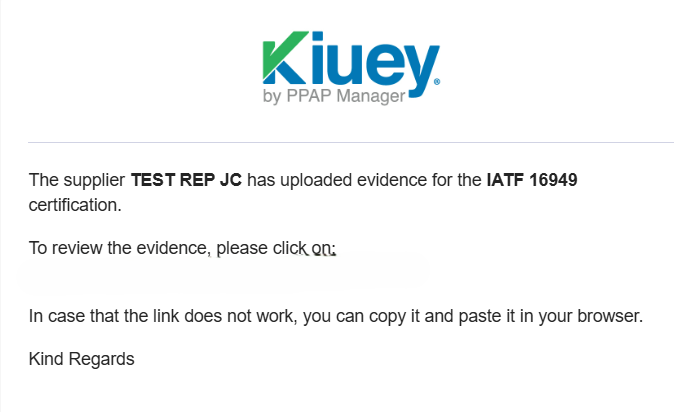
When a customer requests a certification, you receive an email with the subject line shown below. Check your inbox (and spam folder if you don’t see it).
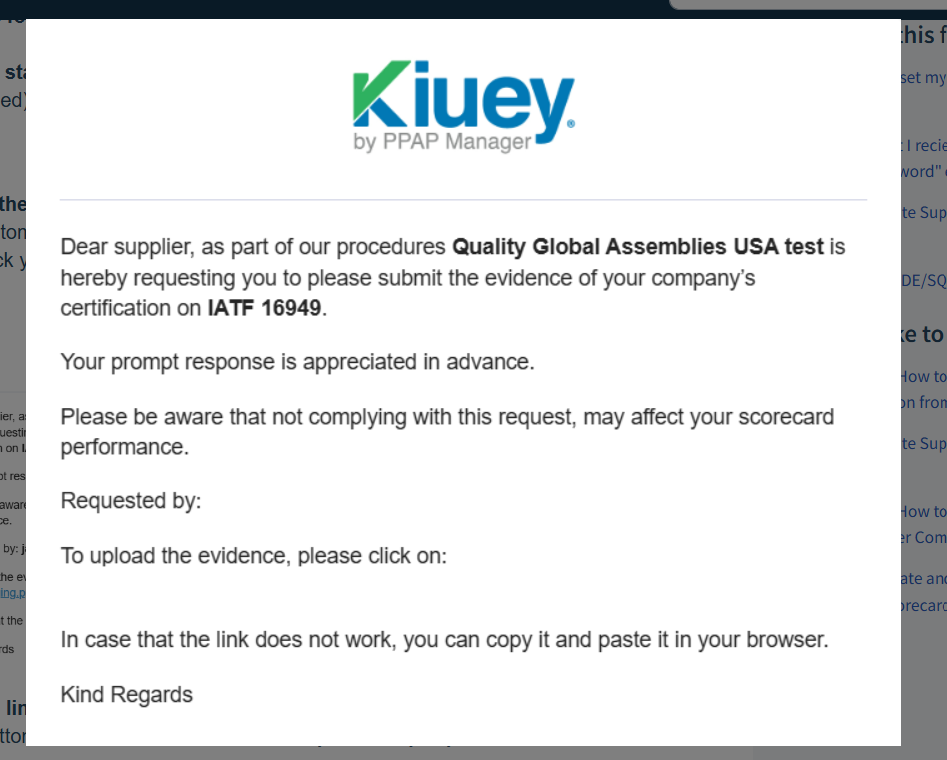
2. Click the link in the email.
Click the button or link inside the email. It takes you directly to your certifications in the platform.
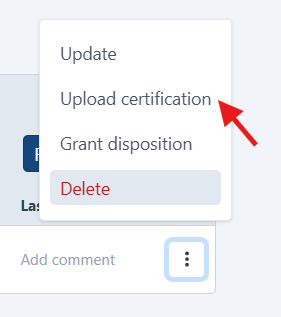
3. Open the three-dot menu and select “Upload certification”.
Find the certification being requested in the list. Click the three-dot menu (⋮) at the end of its row and select Upload certification.

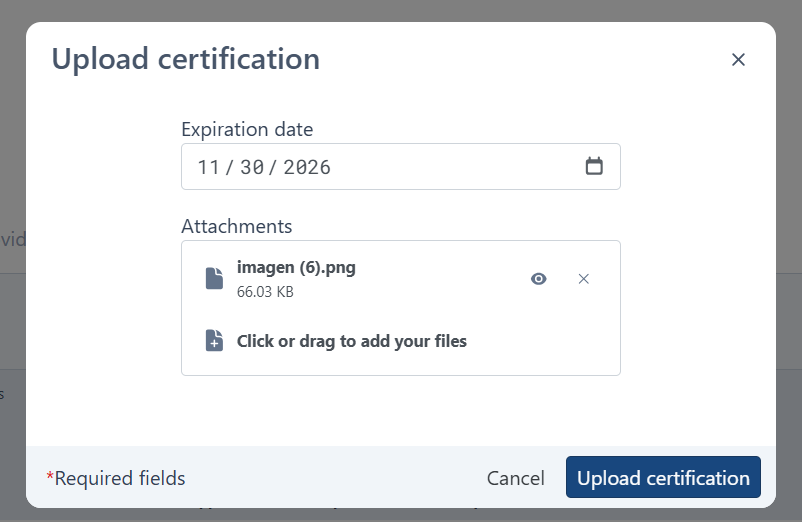
4. Fill in the form and submit.
In the window that opens, complete all the required fields, attach your certificate file, and click Upload certification.
5. Wait for the customer’s review.
Once uploaded, the certification is sent to the customer for review. You will receive an email with the result.
Possible dispositions
Accepted
Your certification met all the requirements. No email is sent for this disposition, so you can check the status directly in the platform. No further action is needed.
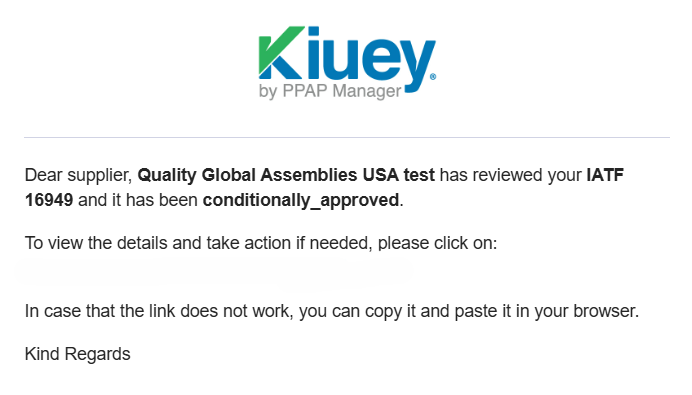
Conditionally Approved
Your certification was approved, but the customer has set conditions that you need to meet. You will receive an email describing them. Read the conditions carefully and follow the instructions in the email.
Rejected
Your certification did not meet the requirements. You will receive an email with the reason for the rejection. Review it, prepare a corrected certificate and upload it again by repeating steps 2–4.
Was this article helpful?
That’s Great!
Thank you for your feedback
Sorry! We couldn't be helpful
Thank you for your feedback
Feedback sent
We appreciate your effort and will try to fix the article