OVERVIEW
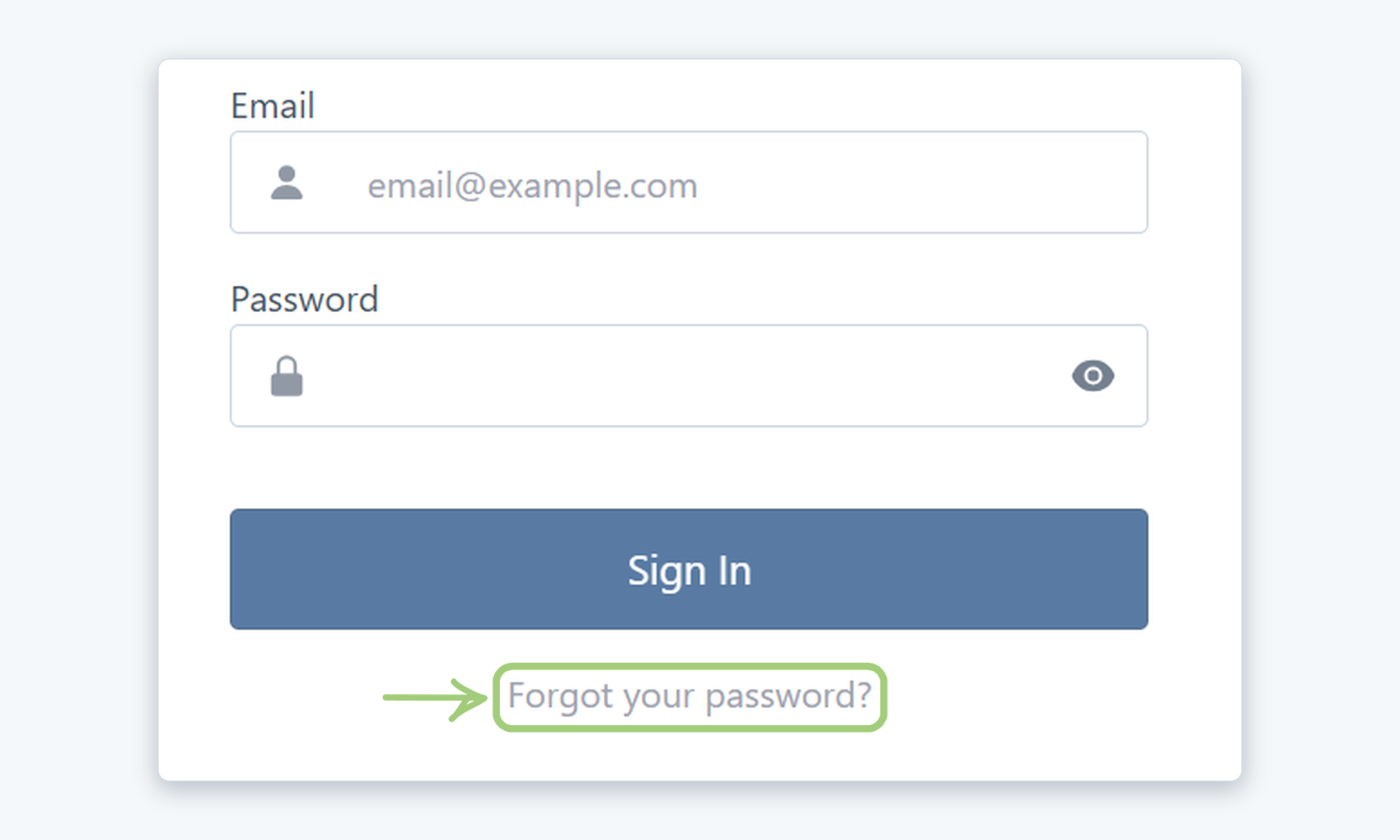
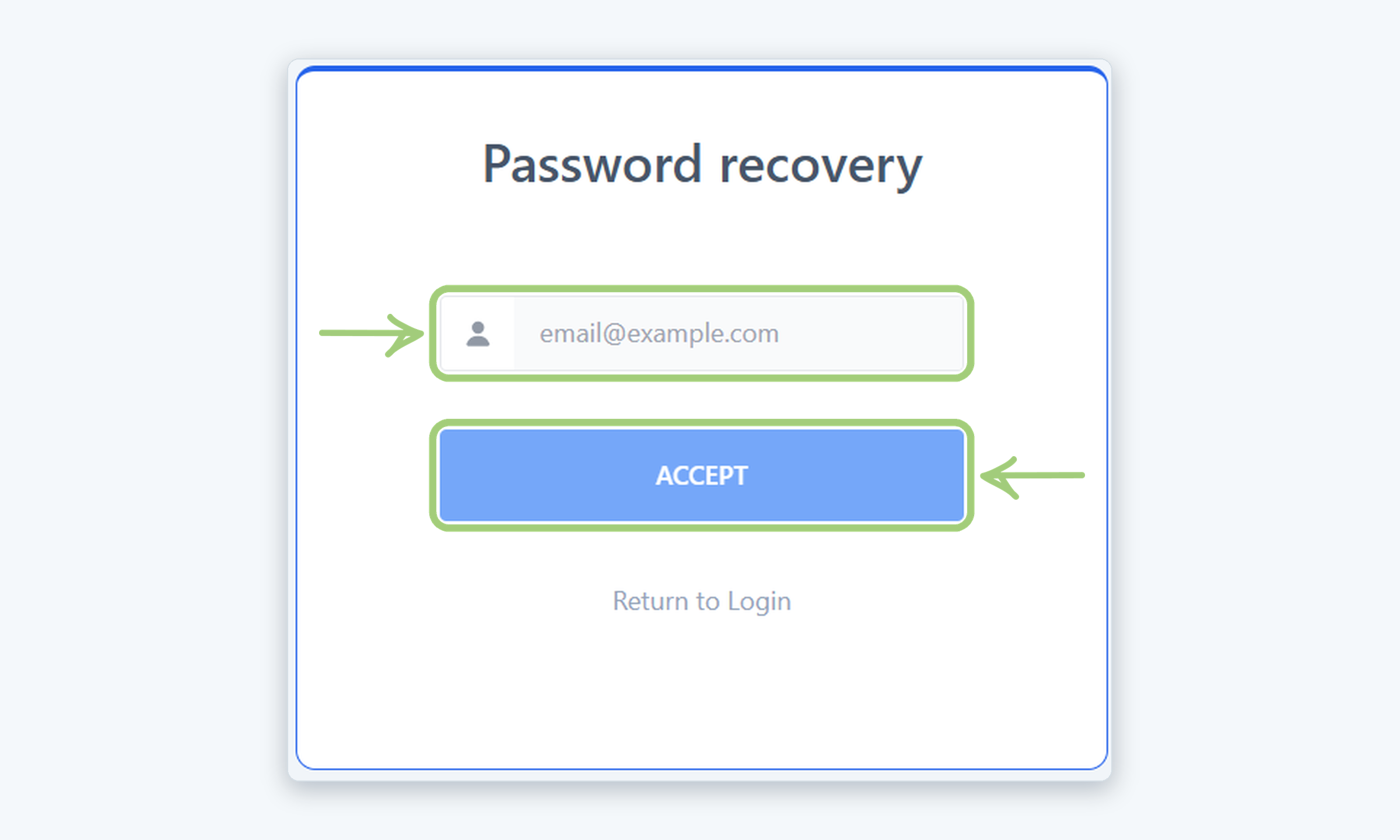
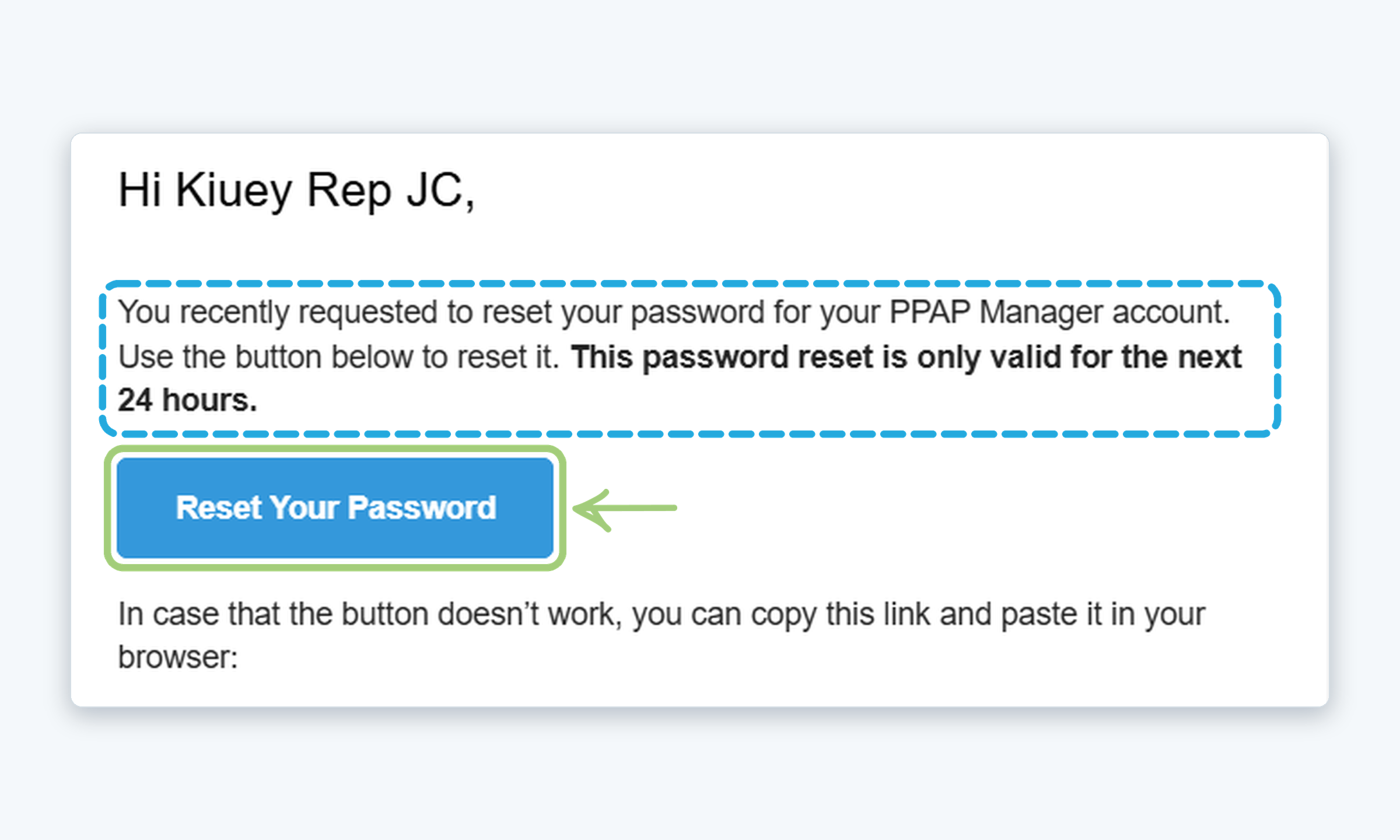
This article explains how to reset the password of your Kiuey (PPAP Manager) account using the password recovery link that is sent to your email.
Who is this for? SuppliersInternal users
IMPORTANT NOTES
- Use the email address that is associated with your account; the recovery link is sent only to that address.
- The recovery link is valid for 24 hours. After that, you will need to request a new one.
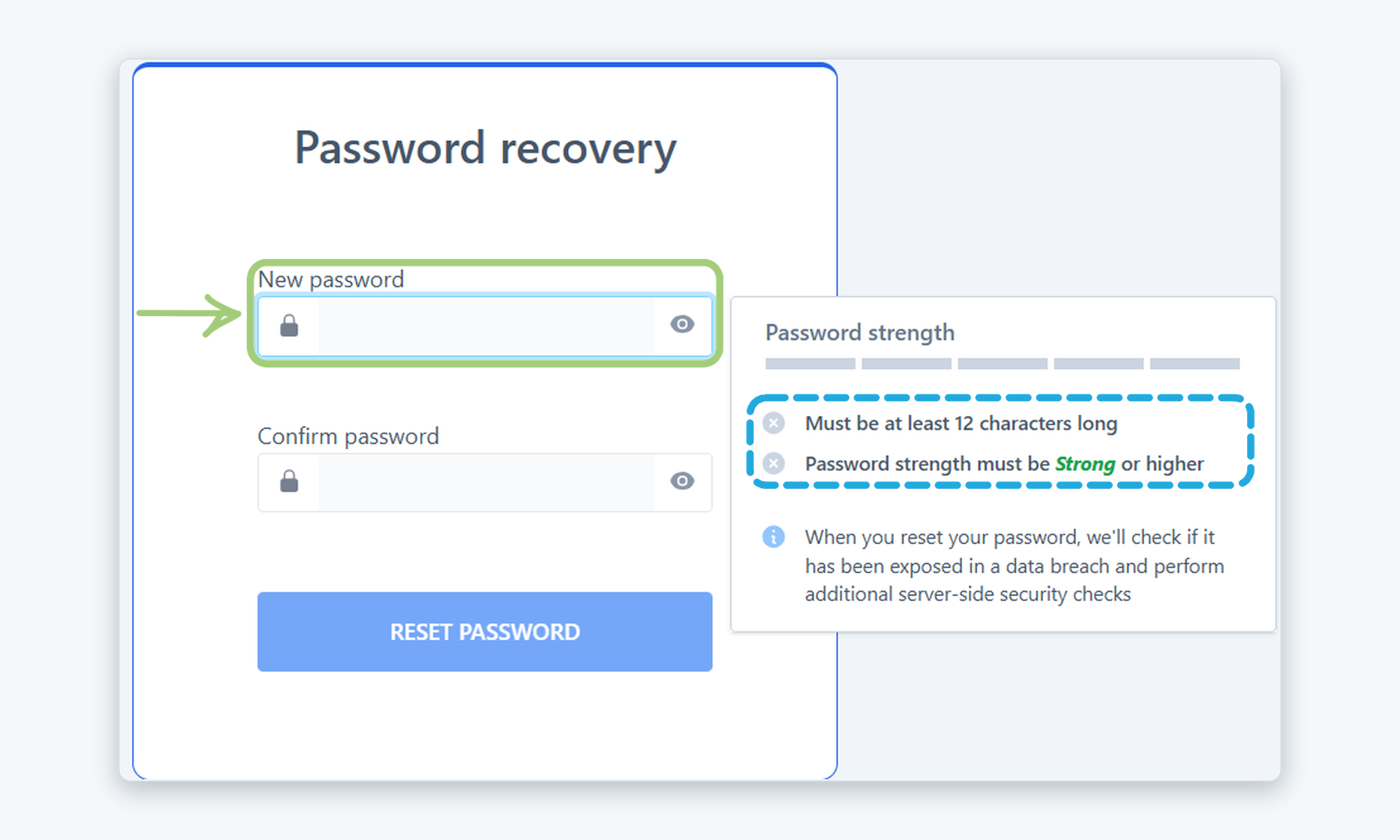
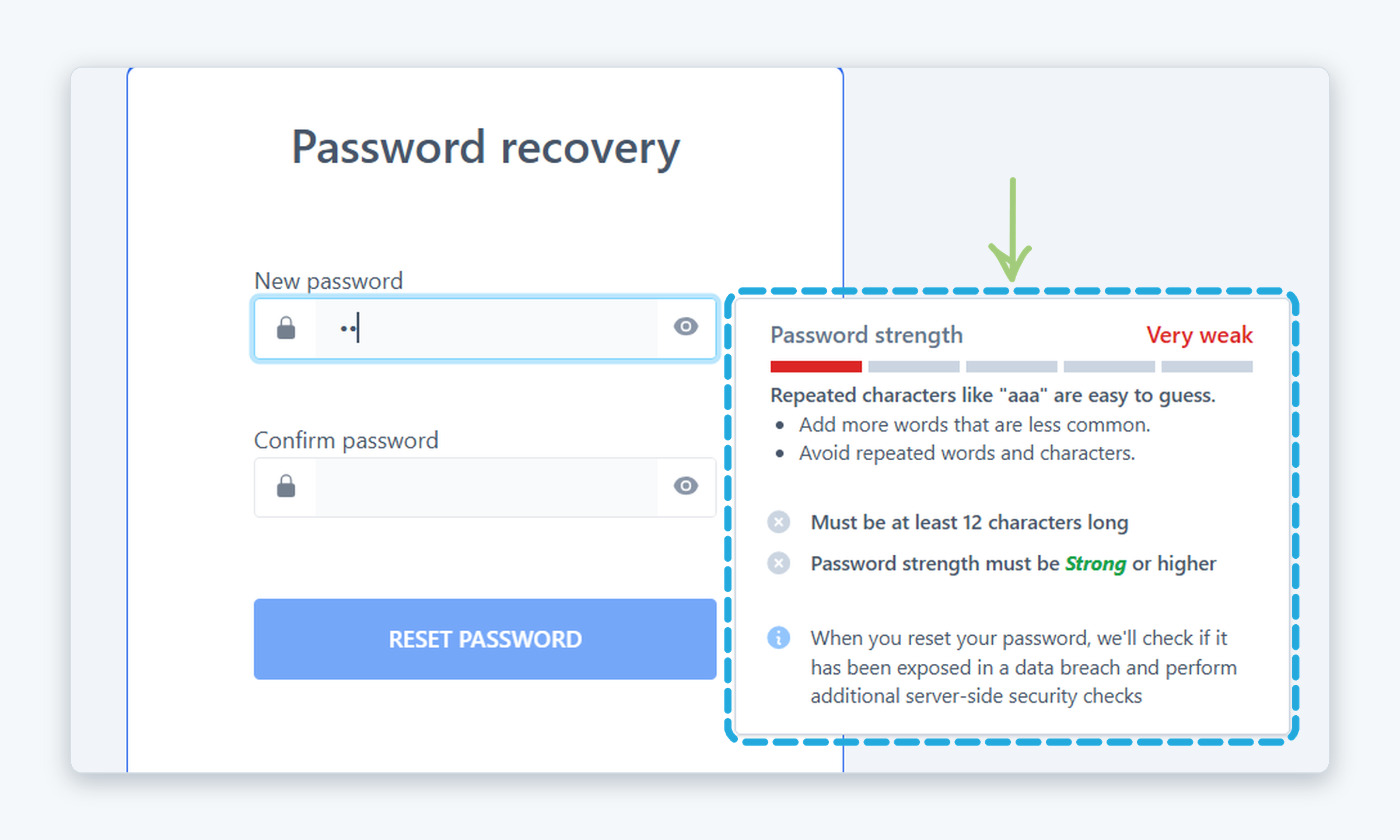
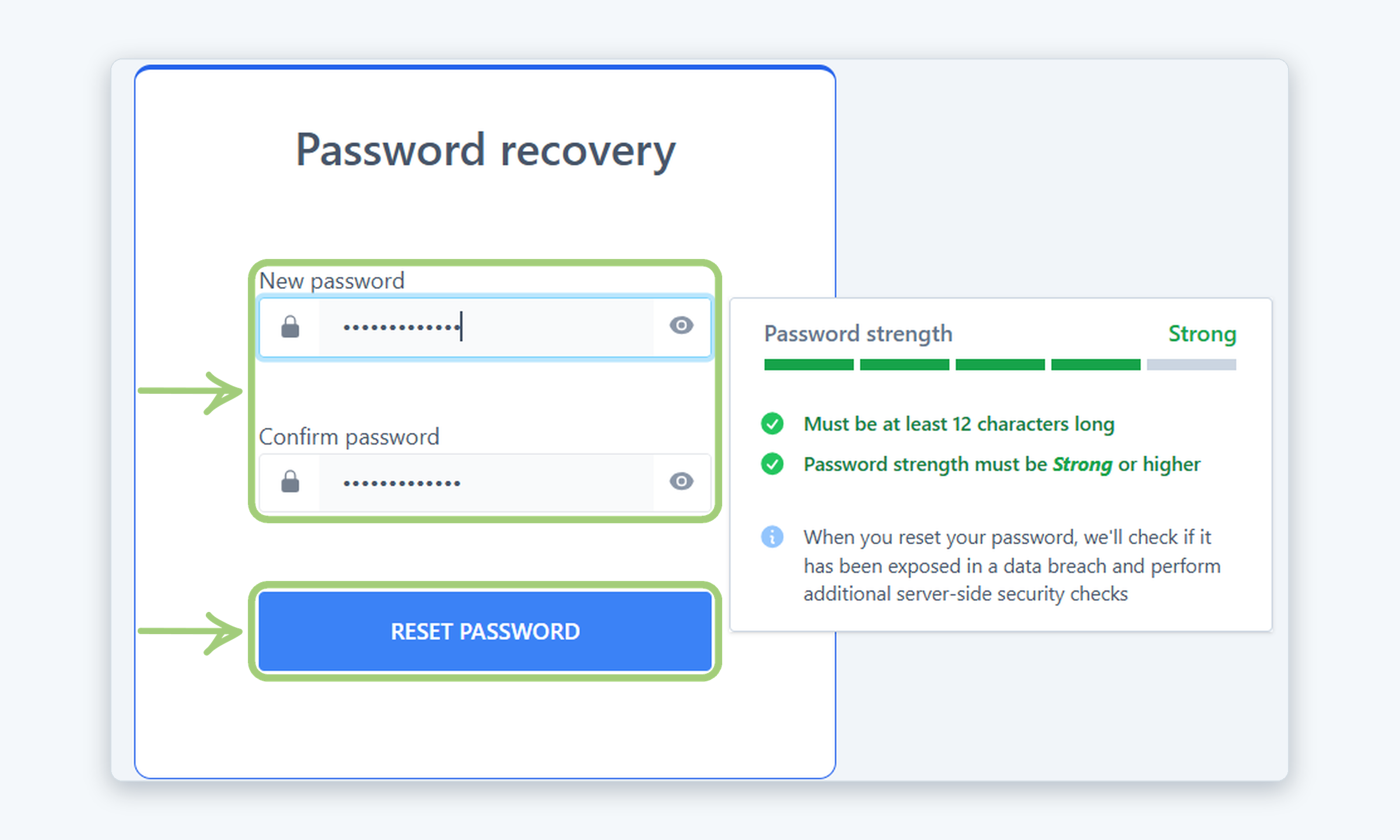
- Your new password must be at least 12 characters long and its strength must be Strong or higher. It is also checked against known data breaches. The Reset password button stays disabled until the requirements are met.
- If you don’t receive the recovery email, check your spam or junk folder. Still nothing? See Why haven’t I received the “Reset Password” email?
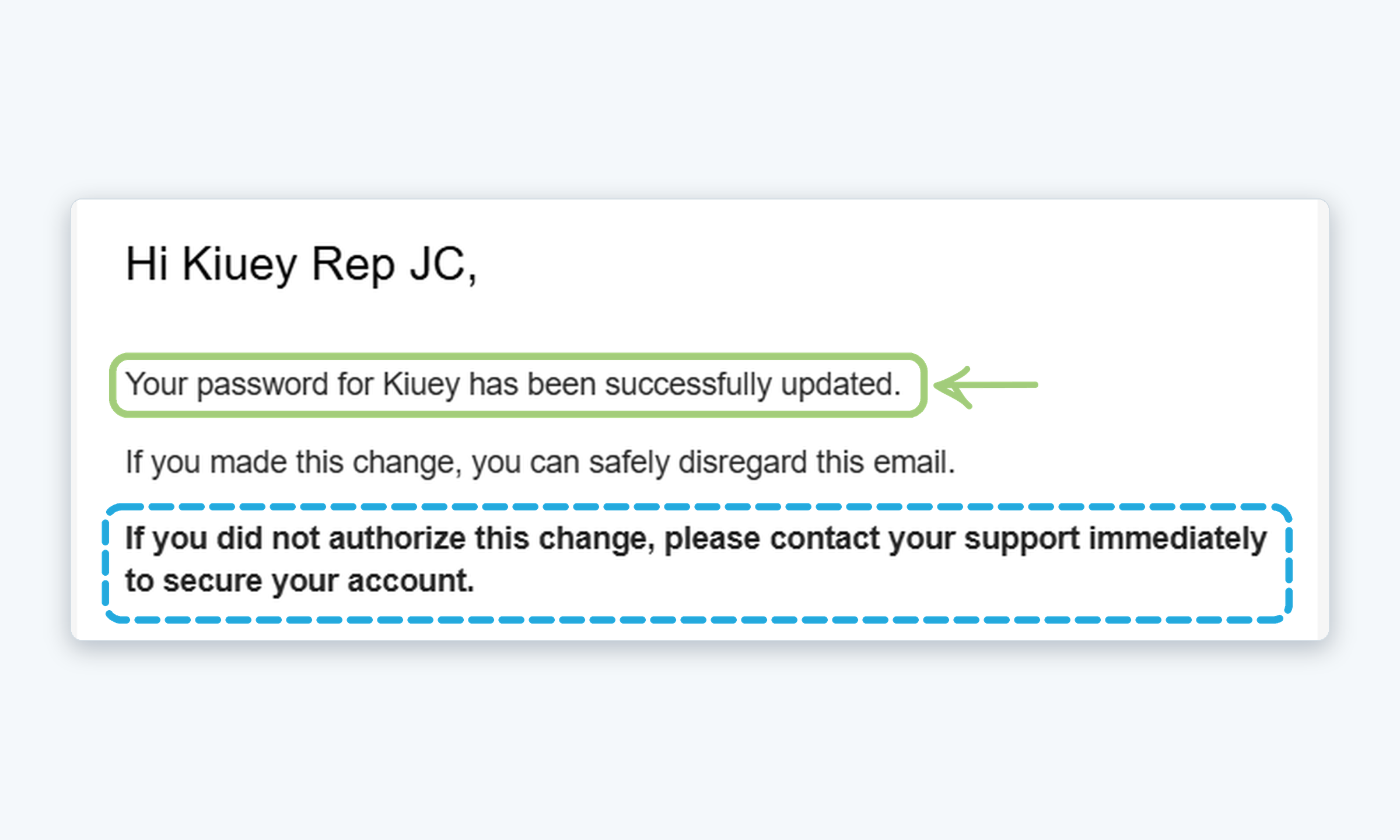
- If you did not request the reset, ignore the email or contact support. Already logged in and just want to change your password? See How to change your password.
WHO CAN DO THIS
Supplier contact: Can reset their own password.
Internal user: Can reset their own password.
Steps
Need more help?
If you have any questions or concerns, please contact Kiuey Support by submitting a ticket or through any of our support channels. Our team will be happy to assist you.
Was this article helpful?
That’s Great!
Thank you for your feedback
Sorry! We couldn't be helpful
Thank you for your feedback
Feedback sent
We appreciate your effort and will try to fix the article