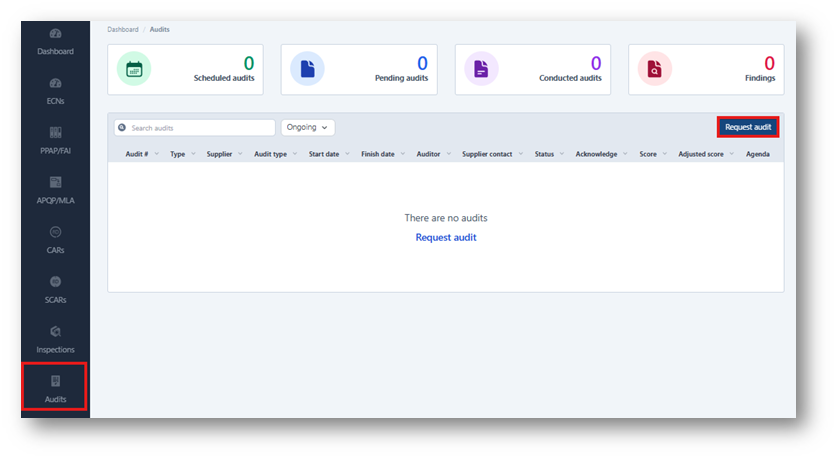
1. From the dashboard, click Audits in the sidebar. Click Request Audit.
Note: If you do not see this option, please contact us for assistance (support chat, ticket, email) as a specific role is required.
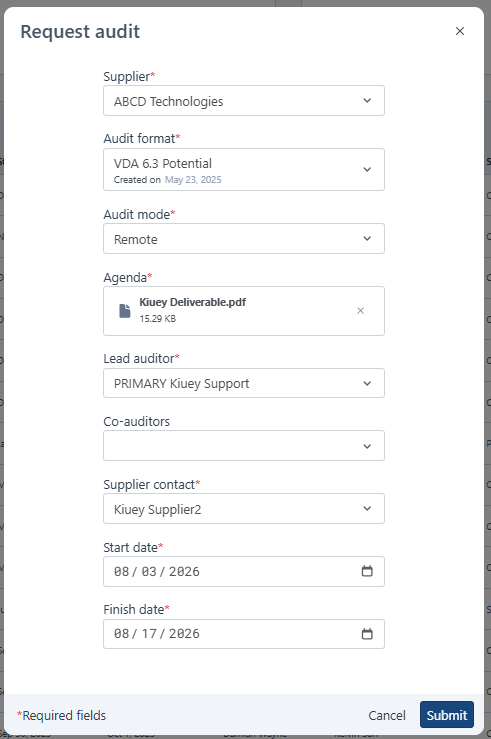
 2. Complete the required fields and select the appropriate audit form. Once all required information has been entered, click Submit.
Note: Audit format options must be activated by the Kiuey team before they can be used.
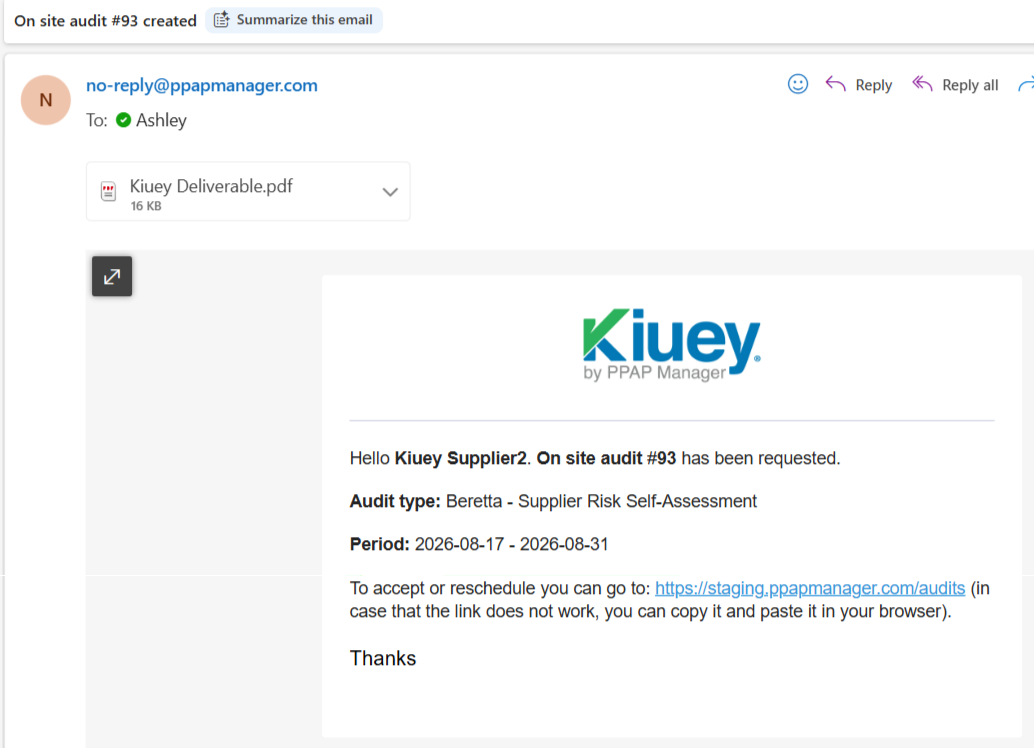
3. The assigned auditors and supplier contacts will automatically receive a notification regarding the audit request.
Was this article helpful?
That’s Great!
Thank you for your feedback
Sorry! We couldn't be helpful
Thank you for your feedback
Feedback sent
We appreciate your effort and will try to fix the article