Please note that only the approver or the creator of the audit can edit the supplier contact. This can be done as long as the audit is not Closed or Canceled.
Steps:
- Go to the Audits module.
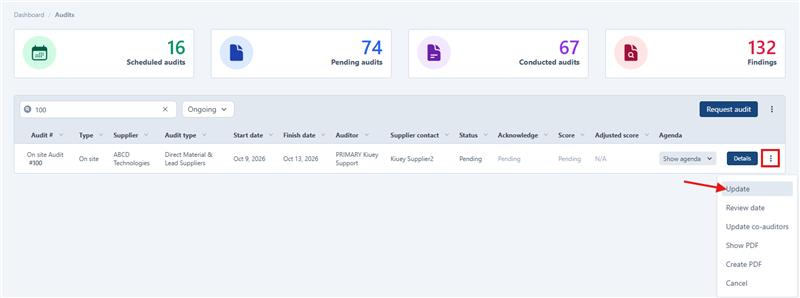
- Find the audit, click on the three-dot button, and select Update.
- A modal will open, where you can edit the supplier contact.
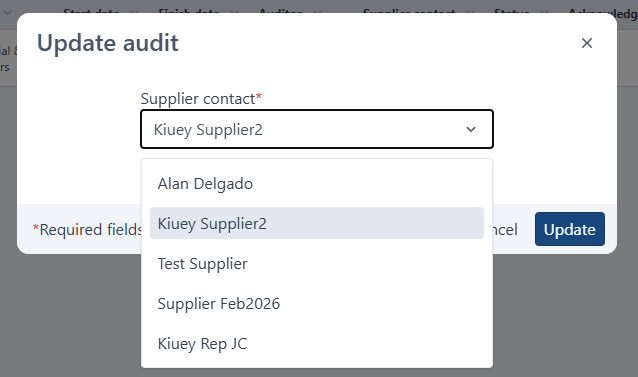
- Save your changes.
Was this article helpful?
That’s Great!
Thank you for your feedback
Sorry! We couldn't be helpful
Thank you for your feedback
Feedback sent
We appreciate your effort and will try to fix the article