Step 1. Access the Assigned SCAR
Open the SCAR assigned to you.
Review the problem statement and the information provided by the Approver.
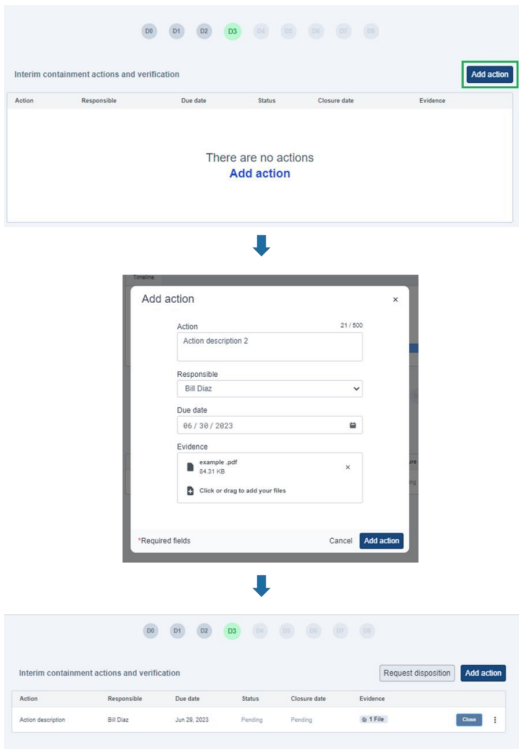
Step 2. D3 – Interim Containment Actions and Verification
Access the D3 section.
Add the necessary interim containment actions.
Request disposition from the Approver.
Wait for the Approver to review the evidence.
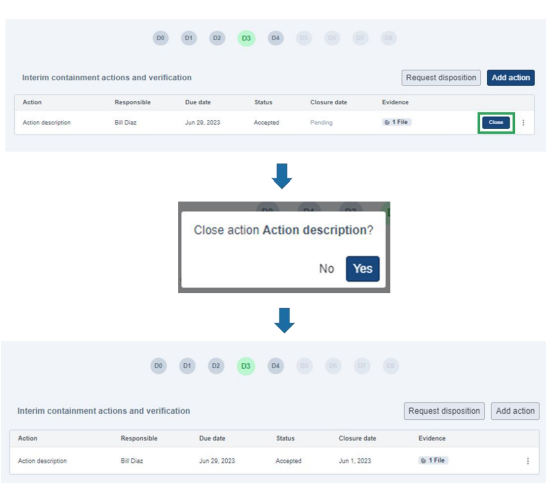
Step 3. D3 – Close Containment Actions
Return to the D3 section after the necessary disposition has been granted.
Close the containment action.
Proceed to D4.
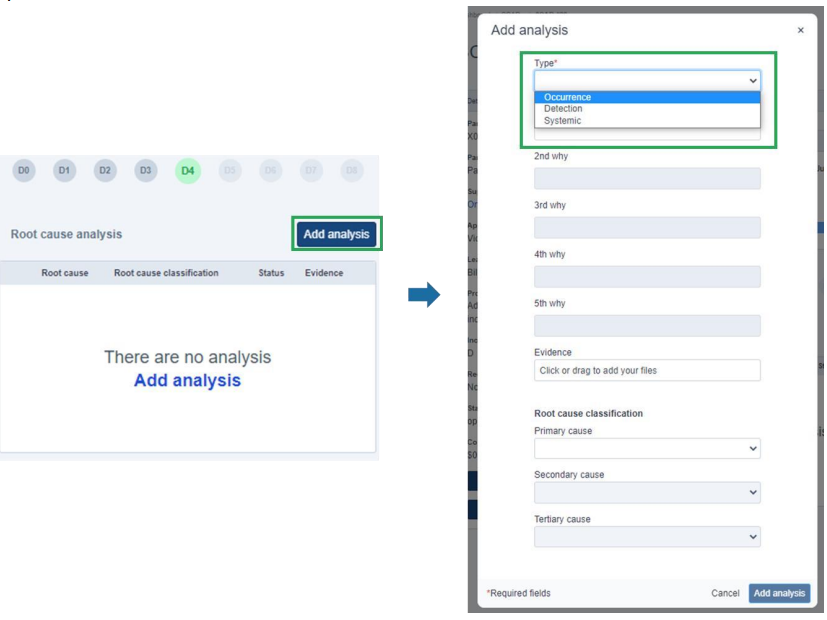
Step 4. D4 – Root Cause Analysis
Access the D4 section.
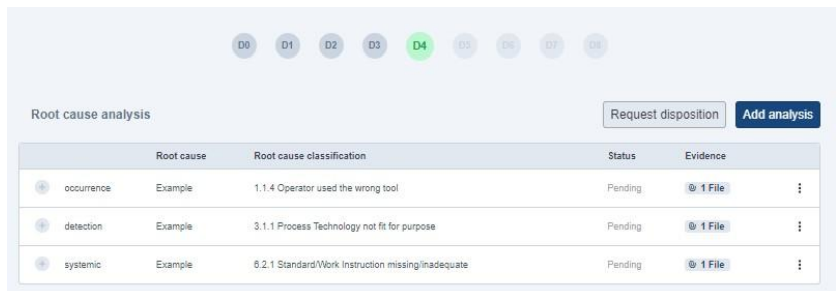
Add the three required types of analysis:
Occurrence
Detection
Systemic
Submit the root cause analysis for disposition.
Wait for the Approver to review the analysis.
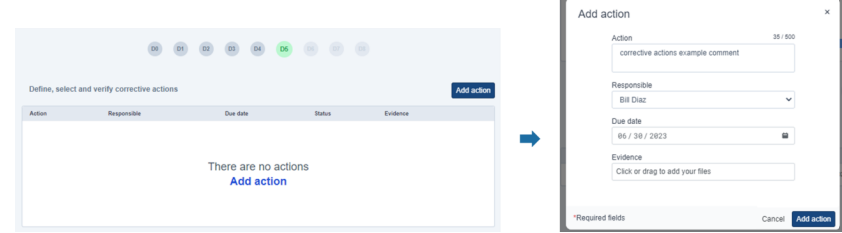
Step 5. D5 – Define, Select, and Verify Corrective Actions
Access the D5 section.
Add the necessary corrective actions.
Submit the corrective actions for the Approver's disposition.
Wait for the Approver to review them.
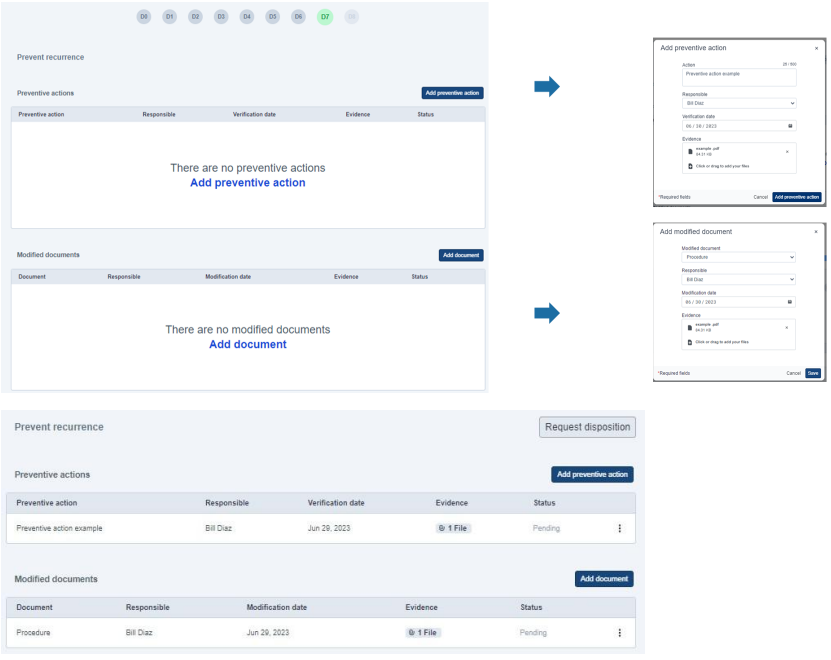
Step 6. D7 – Prevent Recurrence
Access the D7 section.
Add the preventive actions.
Add the modified documents.
Request disposition from the Approver.
Wait for the Approver to review the submitted information.
Was this article helpful?
That’s Great!
Thank you for your feedback
Sorry! We couldn't be helpful
Thank you for your feedback
Feedback sent
We appreciate your effort and will try to fix the article