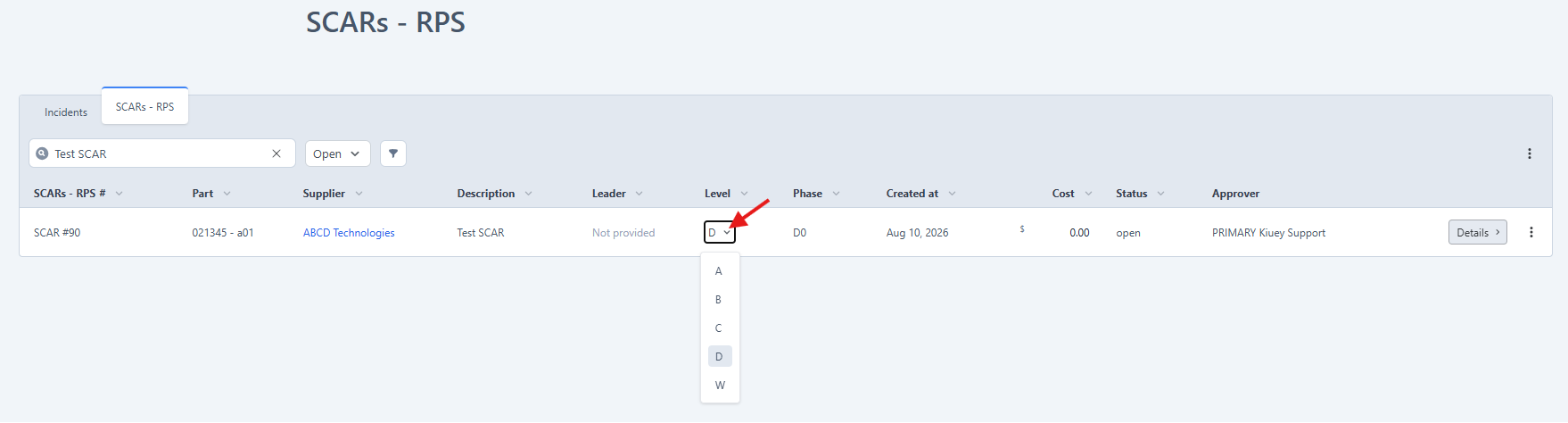
The Approver is responsible for updating the SCAR/CAR Level.
Steps:
- Go to the SCAR/CARs tab.
- Select Open SCAR/CARs.
- Search for the desired SCAR/CAR.
- Click the current Level field (default value is D).
- Select the appropriate level from the dropdown list.
Note: Only users with the Approver role can modify the SCAR/CAR Level.
Was this article helpful?
That’s Great!
Thank you for your feedback
Sorry! We couldn't be helpful
Thank you for your feedback
Feedback sent
We appreciate your effort and will try to fix the article