The approver of a SCAR/CAR can be changed either by the incident creator or by a user assigned the SCAR/CAR Approver Assigner role. To obtain this role, please contact our team and submit an access request. The S(CAR) Approver Assigner role allows users to change the approver for any (S)CAR within the environment.
To update the approver:
- Navigate to Open (S)CARs.
- Locate the CAR or SCAR that needs to be updated
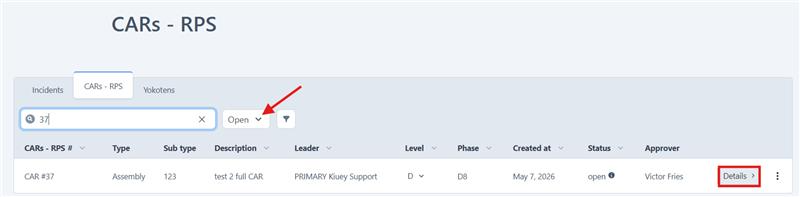
- Open Details.
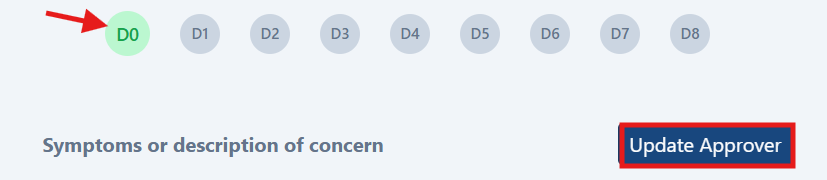
- Go to D0.
- Select Update.

Was this article helpful?
That’s Great!
Thank you for your feedback
Sorry! We couldn't be helpful
Thank you for your feedback
Feedback sent
We appreciate your effort and will try to fix the article