Please note that only the assigned coordinator and any user with the NPI Master role are able to perform this actions
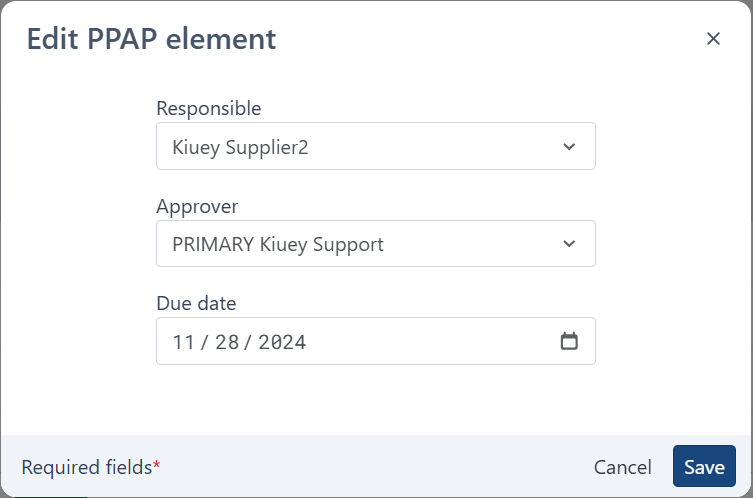
The fields that can be edited are: Responsible, Approver, and Due Date.
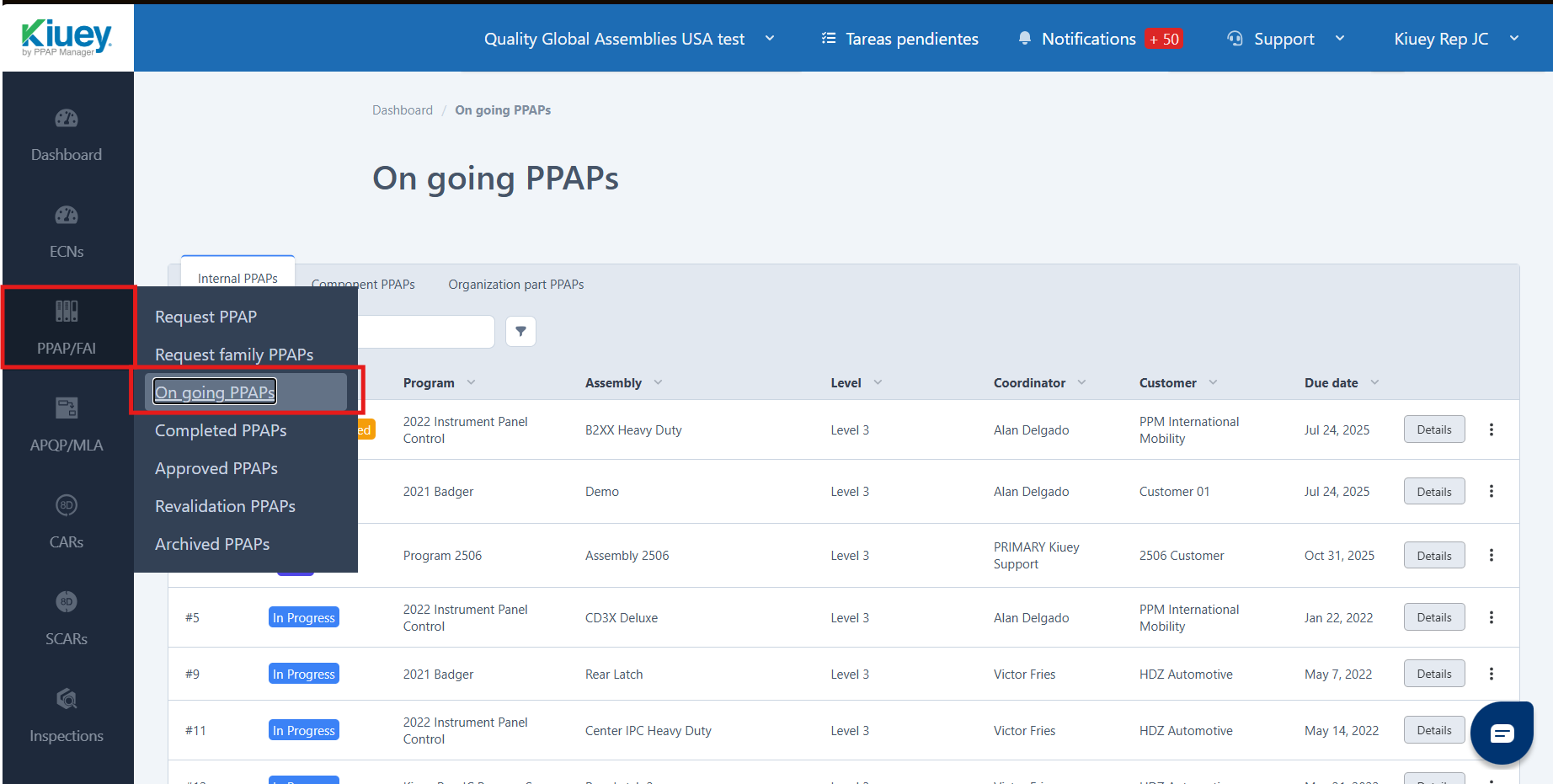
1.Click on the PPAP tab located on the sidebar menu, then select Ongoing PPAPs.
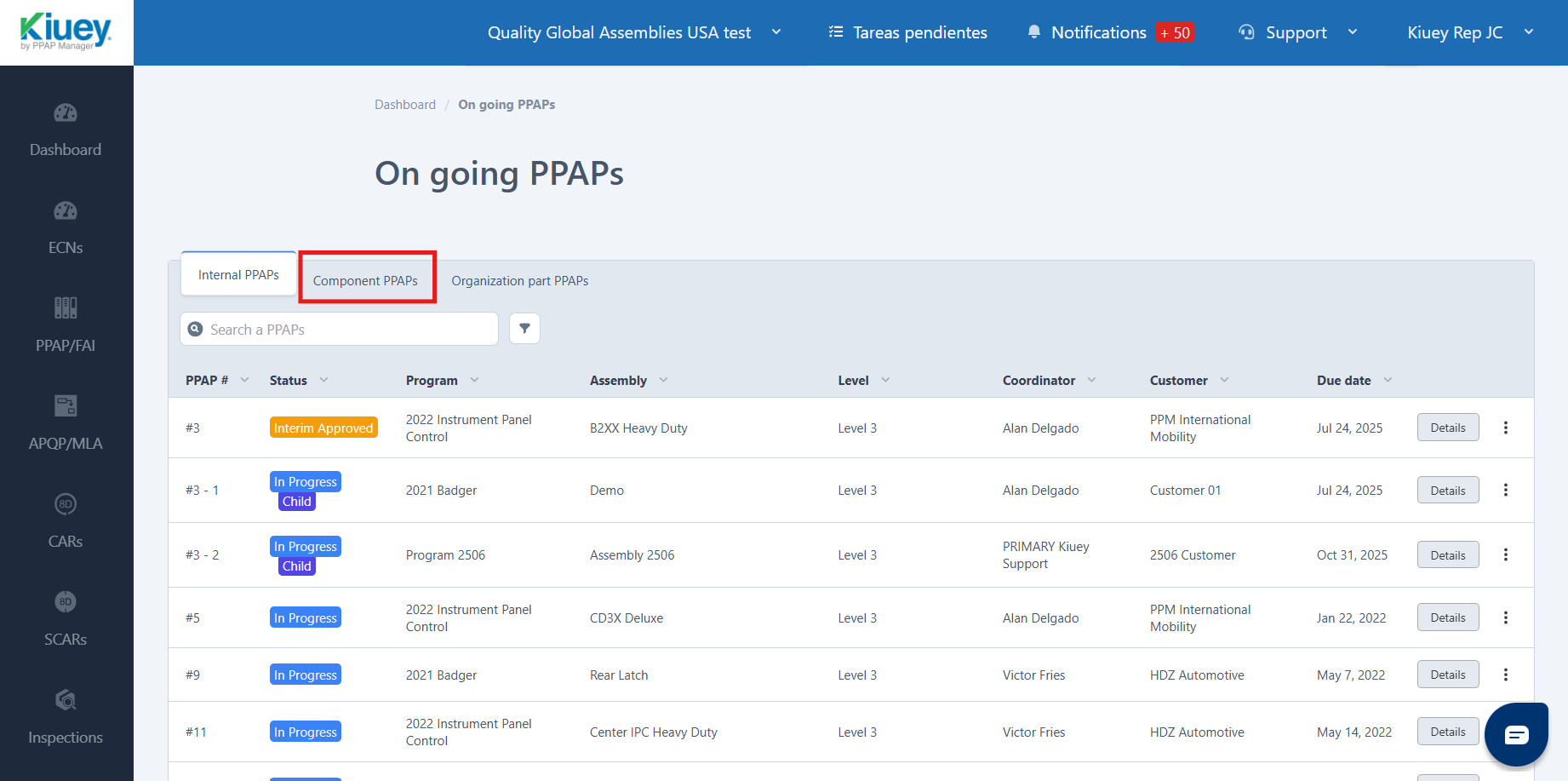
2. Select Component PPAPs.
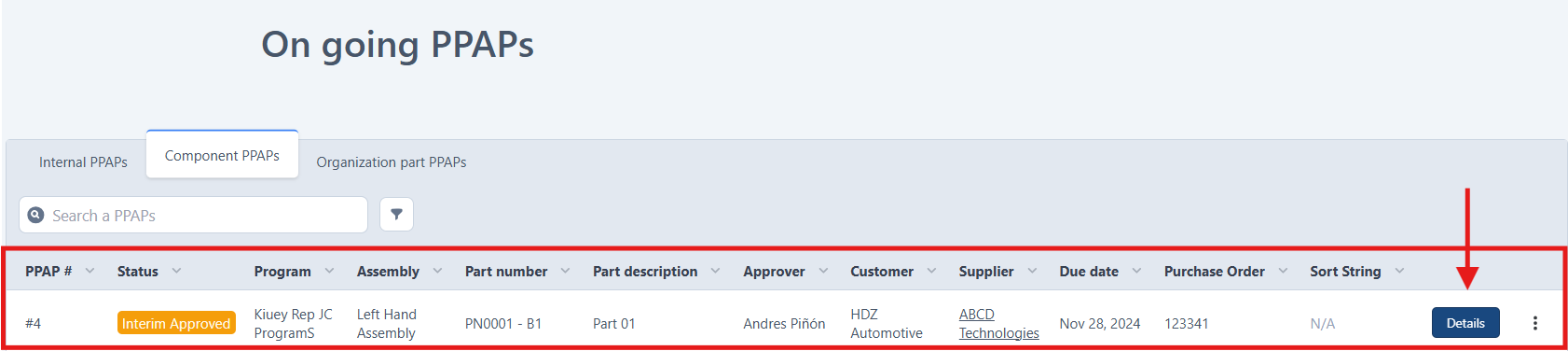
3. Find the corresponding Component PPAP and click on the Edit button.
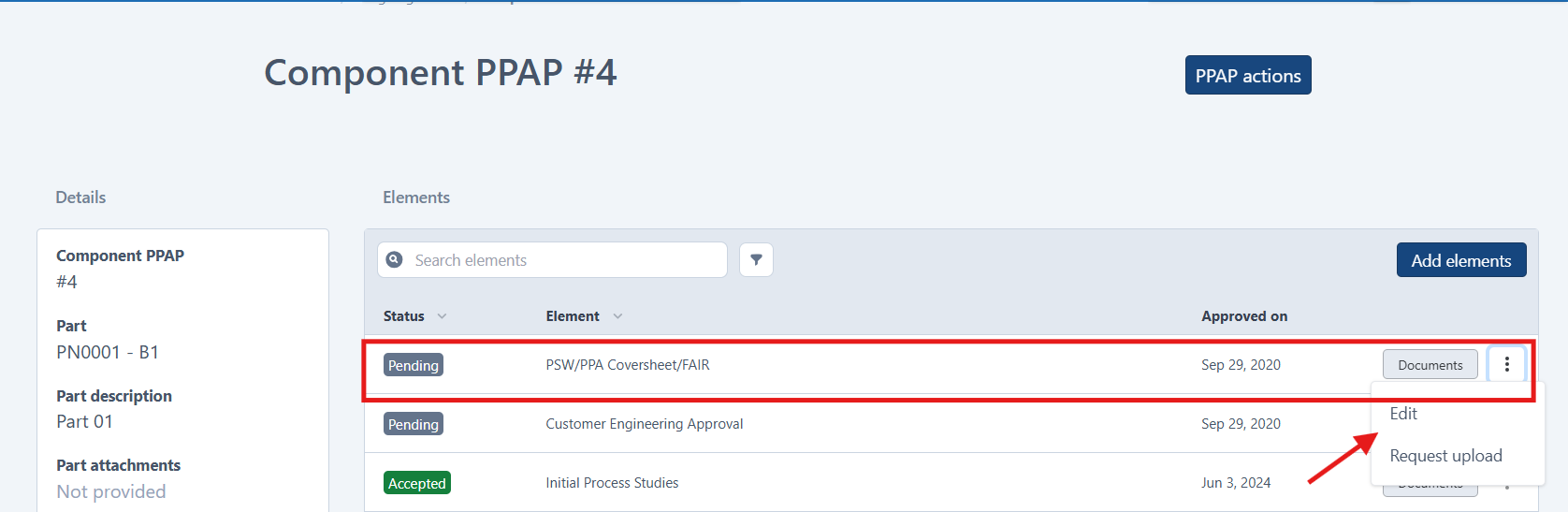
4. Find the element, click on the three-dot button, then select Edit.
5. Fill out the questionnaire and click Save.
Was this article helpful?
That’s Great!
Thank you for your feedback
Sorry! We couldn't be helpful
Thank you for your feedback
Feedback sent
We appreciate your effort and will try to fix the article