How to UPDATE a REJECTED deliverable (PPAP/APQP)

Created by Kiuey Support, Modified on Tue, Nov 24 at 12:49 PM by Kiuey Support Representative

update deliverable, rejected, correct rejected element, PPAP, APQP, update button, supplier

OVERVIEW

Follow these steps to update a rejected deliverable in a PPAP or APQP element.

Who is this for?  Suppliers

IMPORTANT NOTES

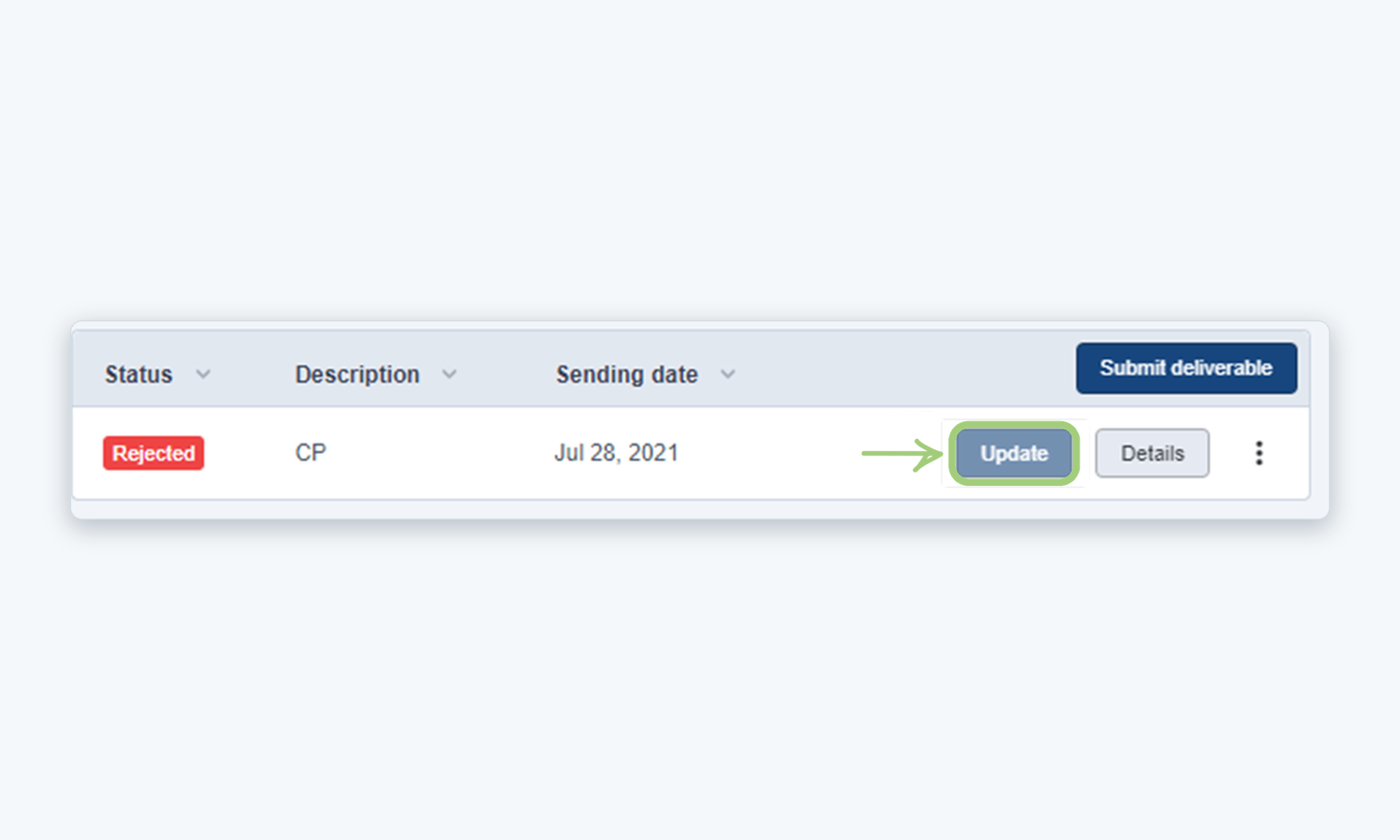
  • Do not click on Submit Deliverable, update it instead of uploading a new one.

Steps
1

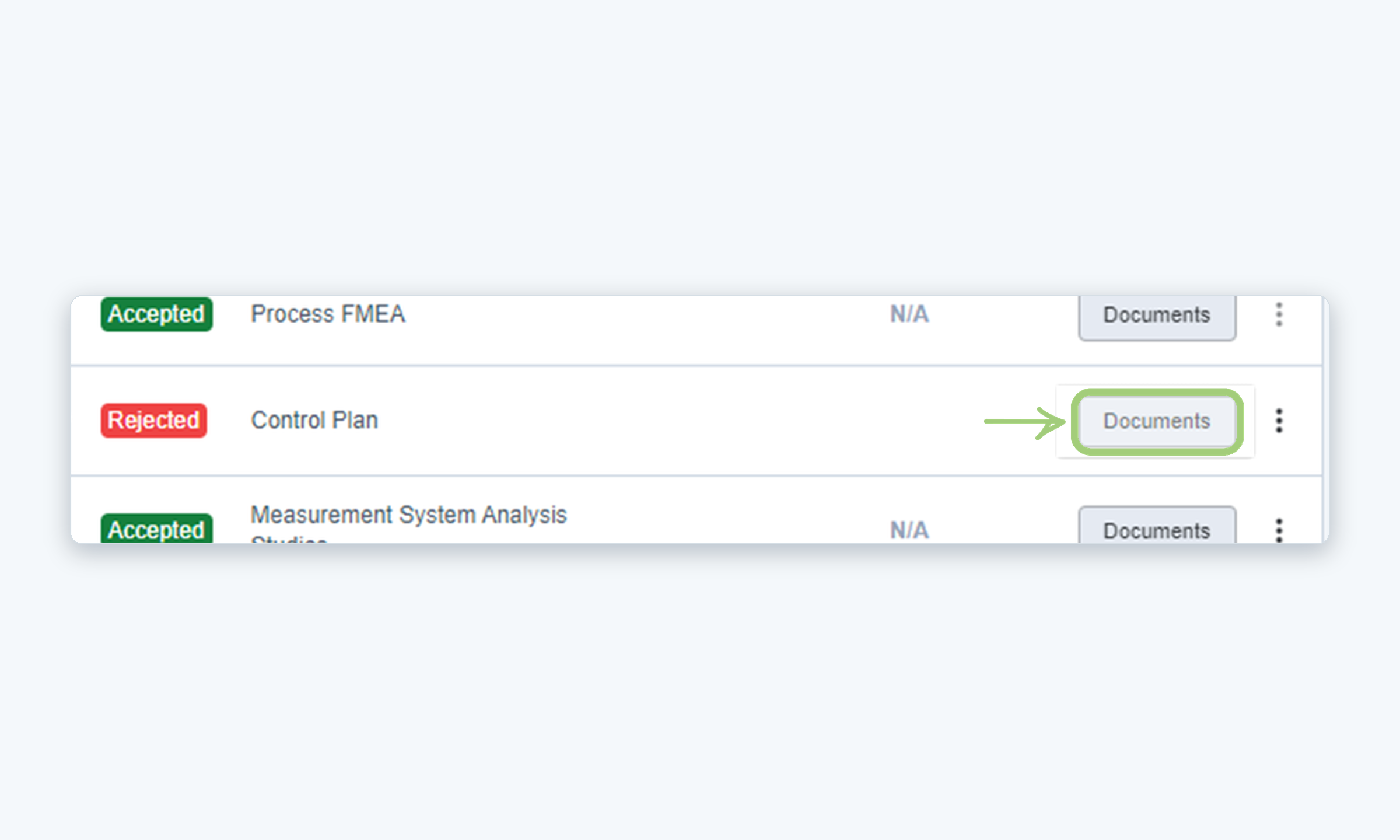
Click Documents

Locate the Element you'd like to Correct then click on the Documents Button.

2

Click Update

Click on the UPDATE button.

3

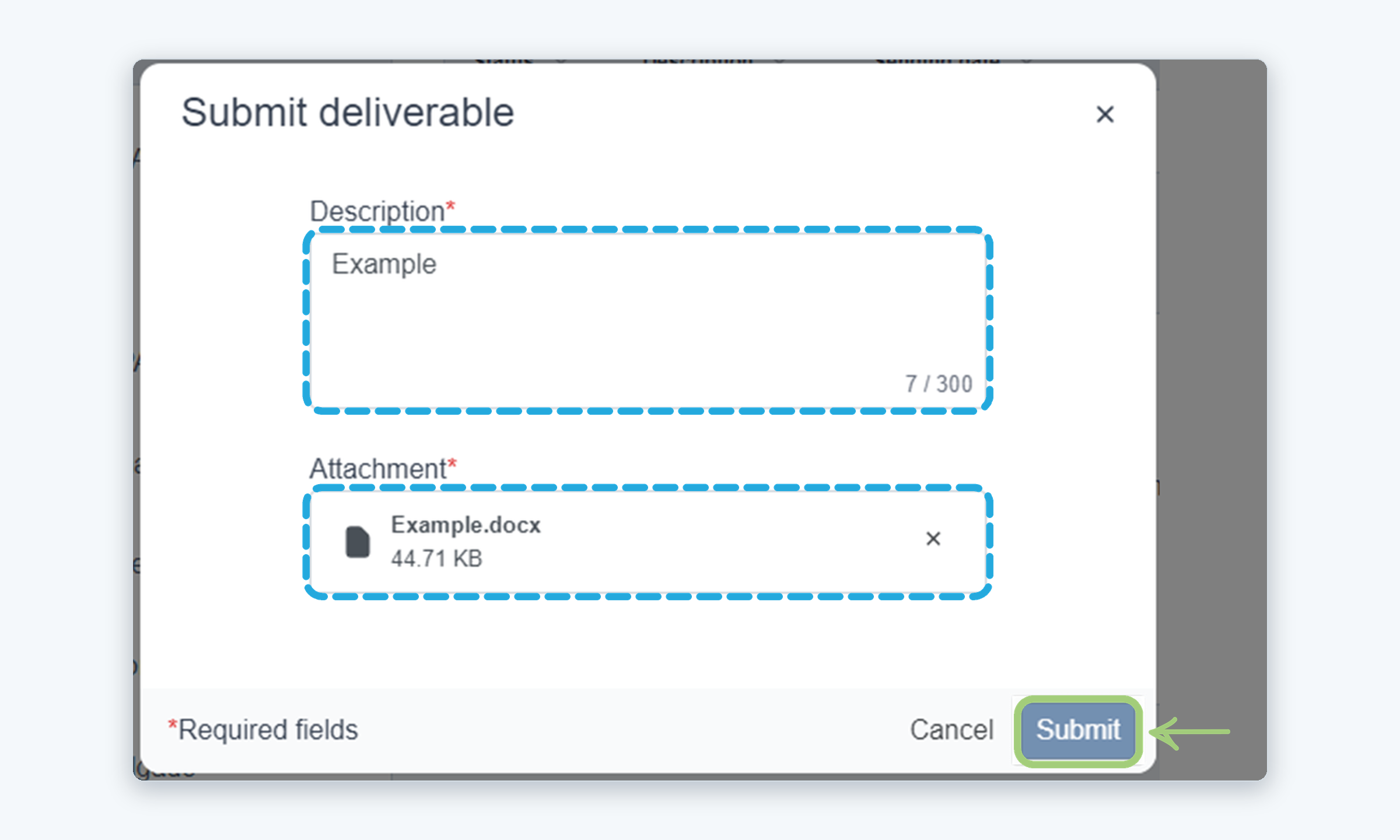
Fill out the fields and submit

Fill out all Required Fields *Description and Attachment, then click on the Submit button to finish correcting the rejected element.

Need more help?

If you have any questions or concerns, please contact Kiuey Support by submitting a ticket or through any of our support channels. Our team will be happy to assist you.

Was this article helpful?

That’s Great!

Thank you for your feedback

Sorry! We couldn't be helpful

Thank you for your feedback

Let us know how can we improve this article!

Select at least one of the reasons

Feedback sent

We appreciate your effort and will try to fix the article