These steps are intended for assigned element approvers.
Video containing steps:
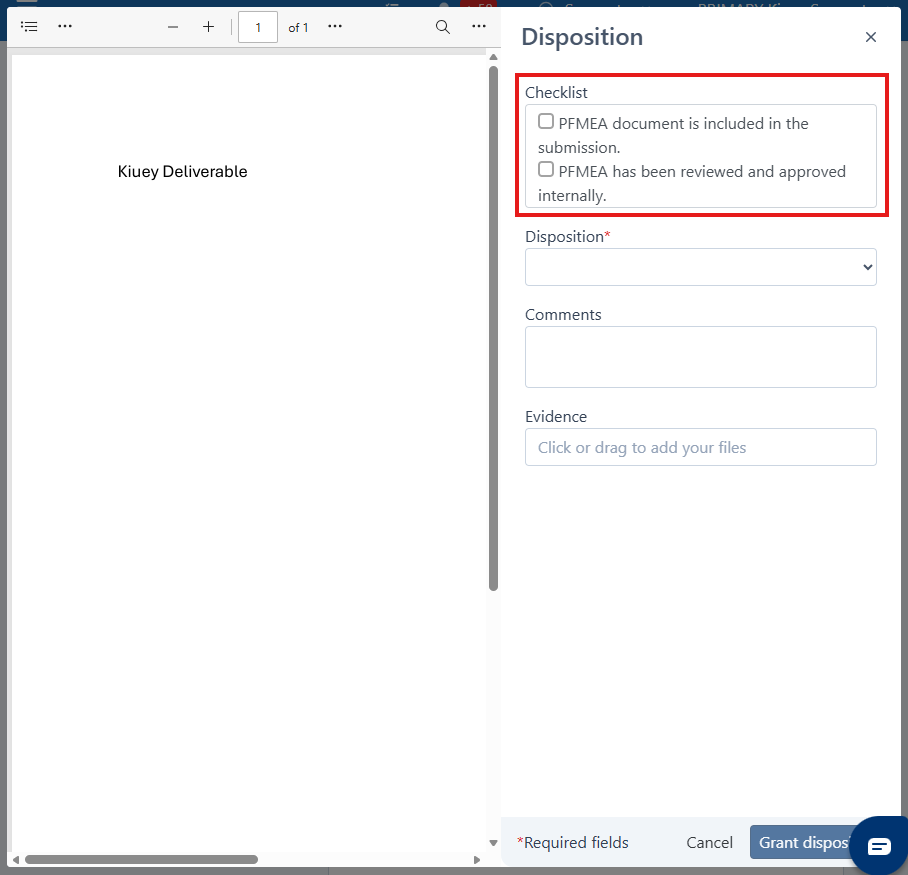
In some cases, checklists are required before disposition can be granted. These checklists represent requirements that must be verified before approving the submitted deliverable.
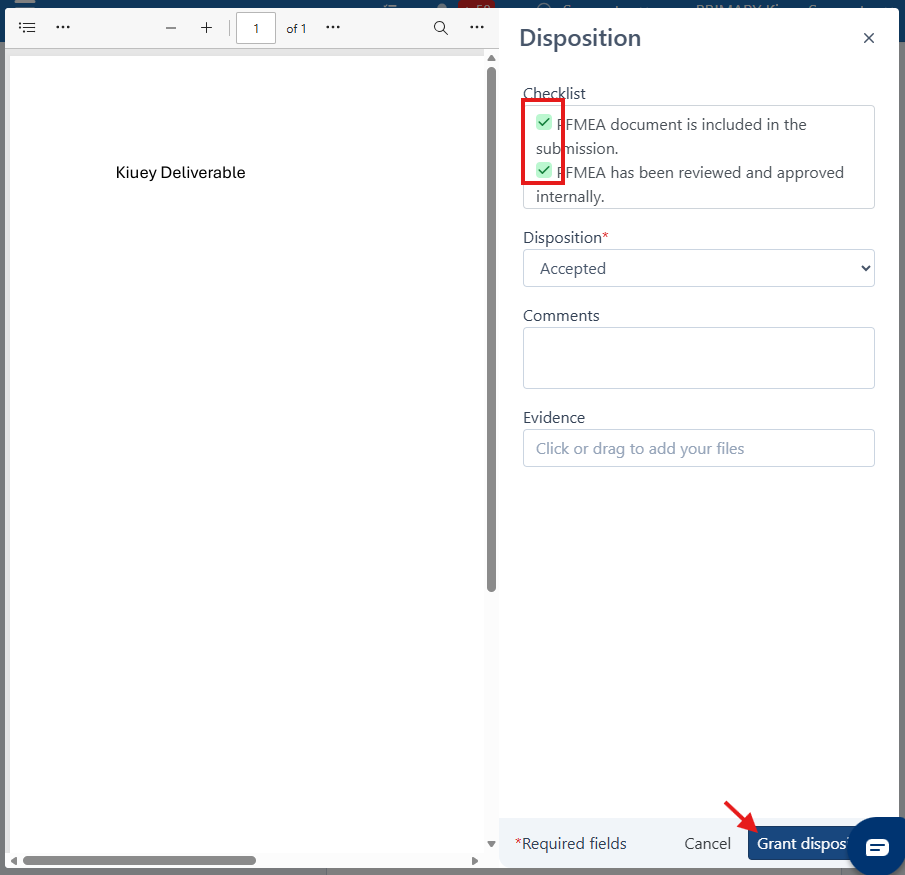
If the required checklist items are not completed, disposition approval will be blocked. Checklist requirements are defined by the company receiving the submission.
Steps:
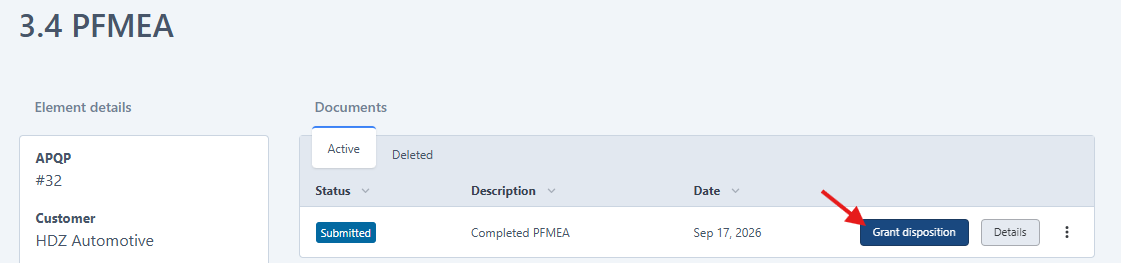
1. Once the emitter has submitted the deliverable, open the element and select Grant Disposition. If no submission has been made, contact the emitter.
2. If a checklist is configured for the element, it will be displayed during the disposition process.
3. All checklist items must be completed before disposition can be granted. Once all items have been checked, the Grant Disposition option will be enabled.
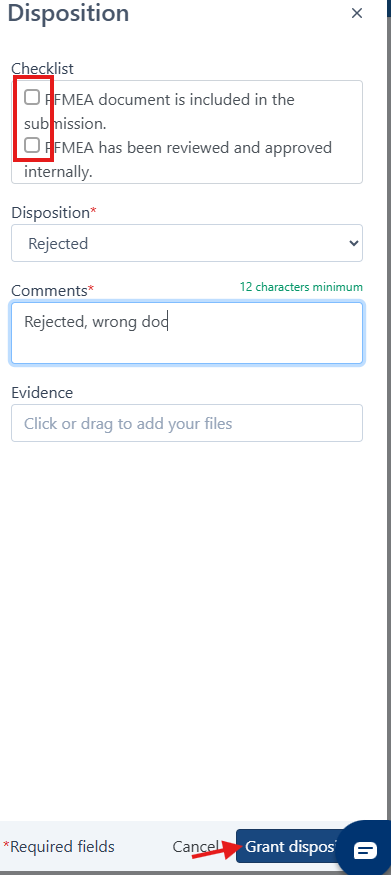
Note: If the submission is being rejected, completing the checklist is not required.
Was this article helpful?
That’s Great!
Thank you for your feedback
Sorry! We couldn't be helpful
Thank you for your feedback
Feedback sent
We appreciate your effort and will try to fix the article