OVERVIEW
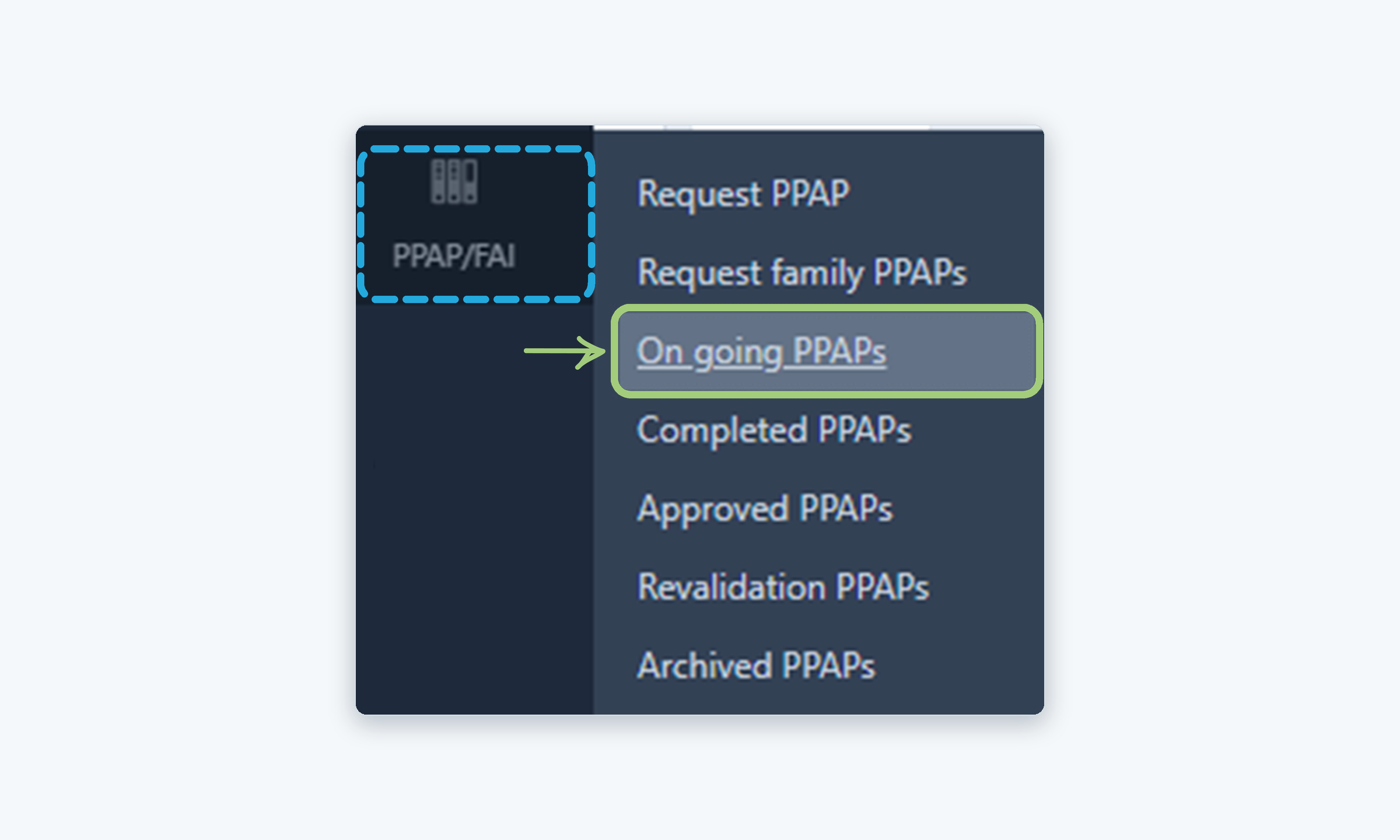
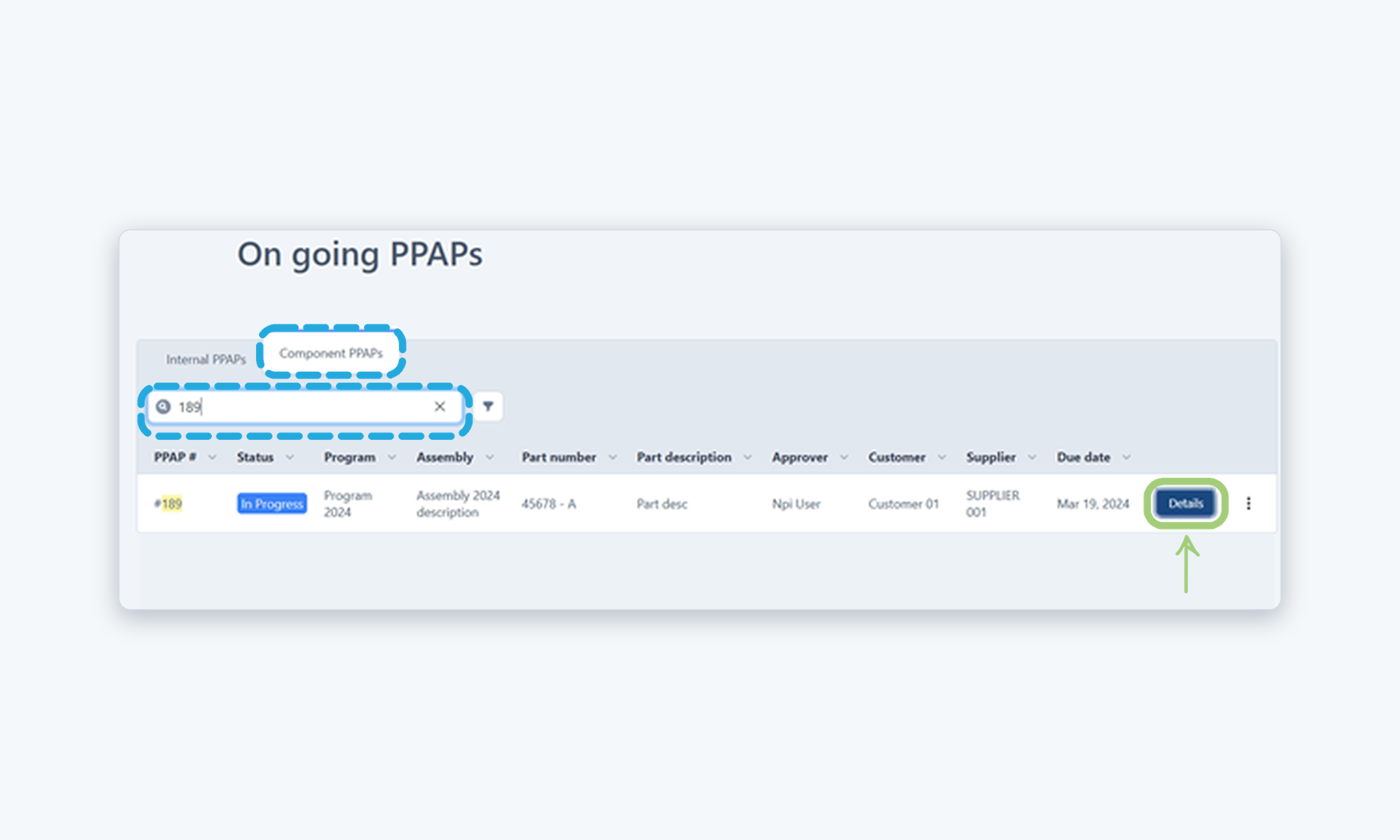
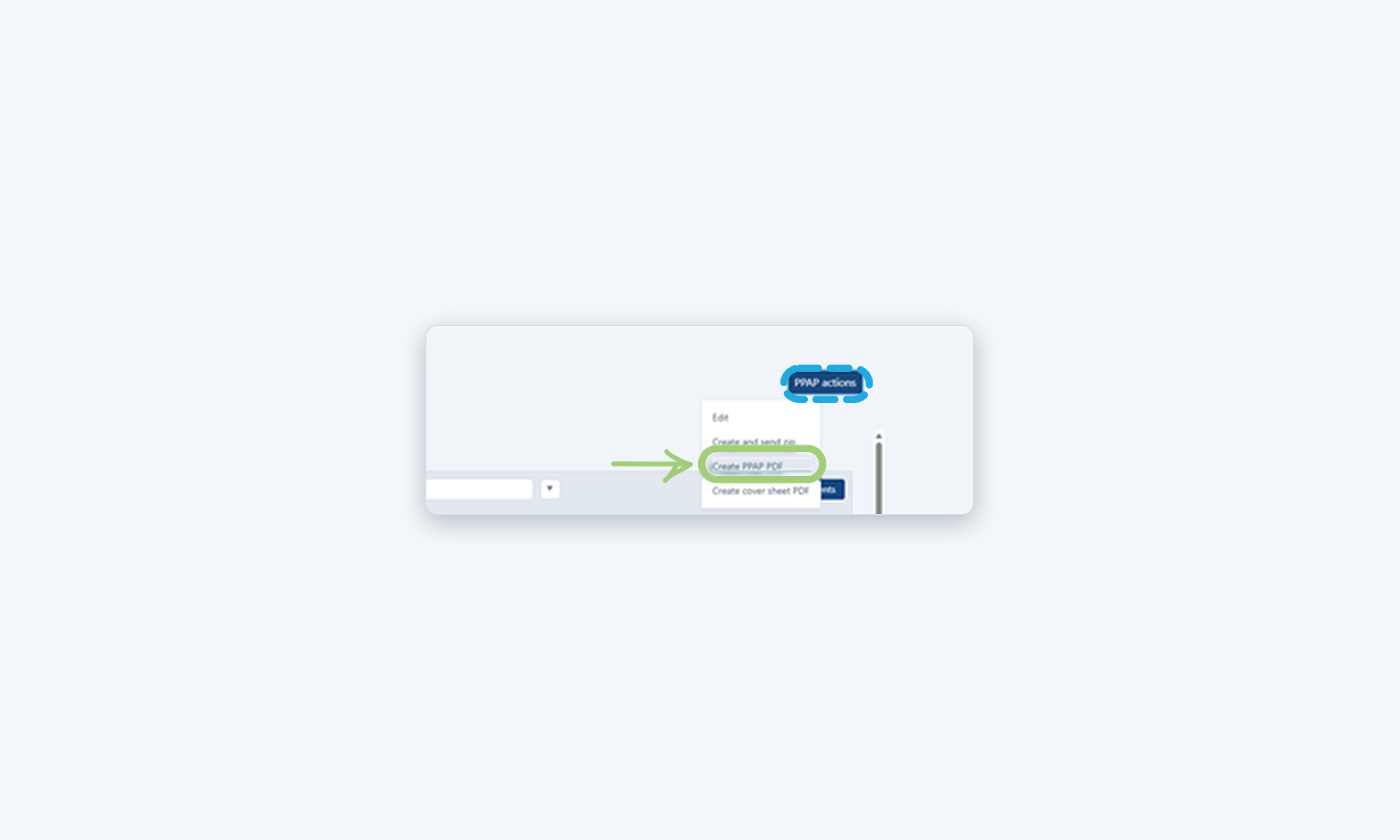
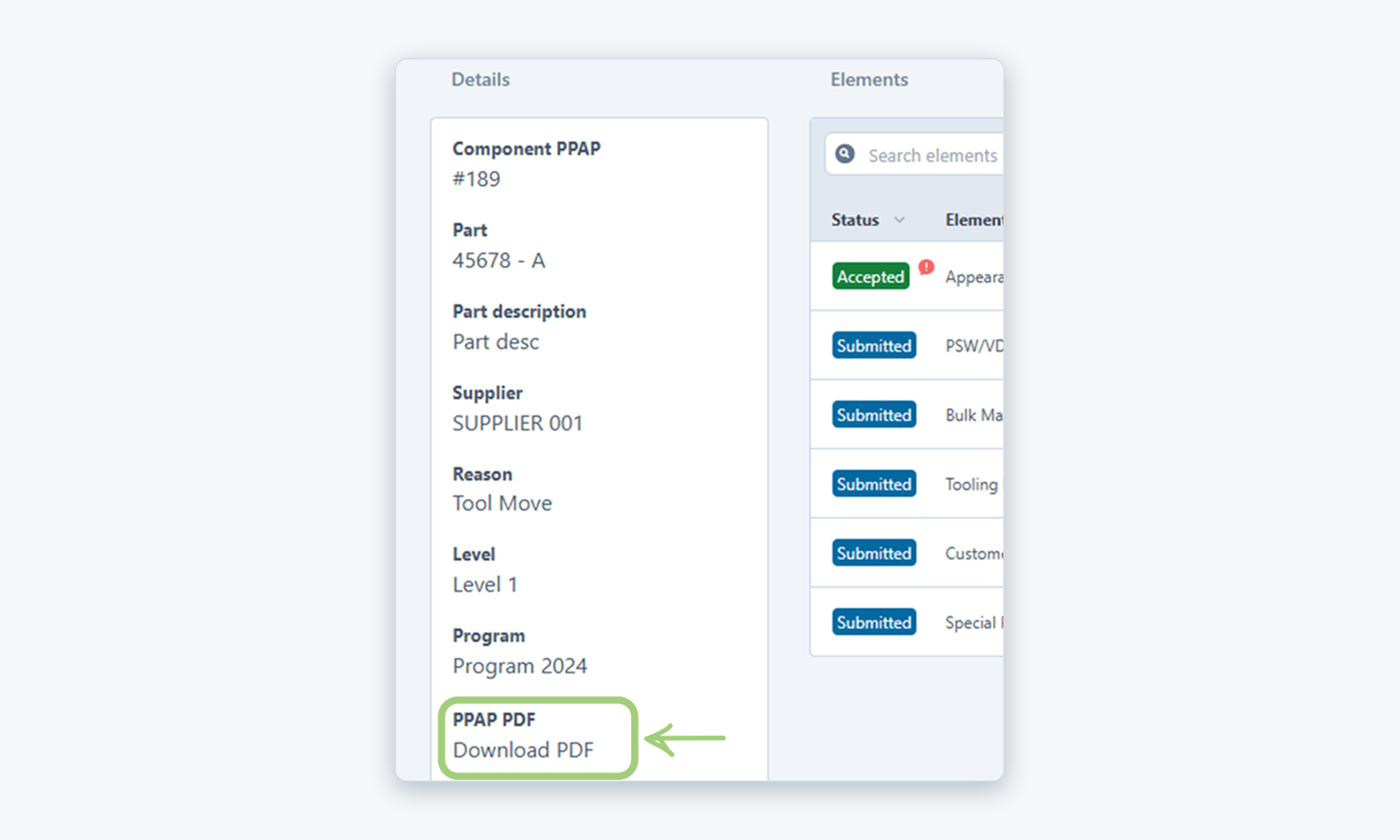
This guide explains how to generate a PDF of a Component PPAP and download it from the PPAP page.
Who is this for? Internal users
IMPORTANT NOTES
- The PPAP actions menu also includes Edit, Create and send zip and Create cover sheet PDF.
- The Download PDF link appears only after the PPAP PDF has been created.
WHO CAN DO THIS
Internal user: Can create and download the PPAP PDF from the Component PPAP page.
Steps
Need more help?
If you have any questions or concerns, please contact Kiuey Support by submitting a ticket or through any of our support channels. Our team will be happy to assist you.
Was this article helpful?
That’s Great!
Thank you for your feedback
Sorry! We couldn't be helpful
Thank you for your feedback
Feedback sent
We appreciate your effort and will try to fix the article