Note: You can select all the files to include in the ZIP.
Roles can do this: Npi Master
Steps:
- Go to the PPAP tab and select Component PPAP.
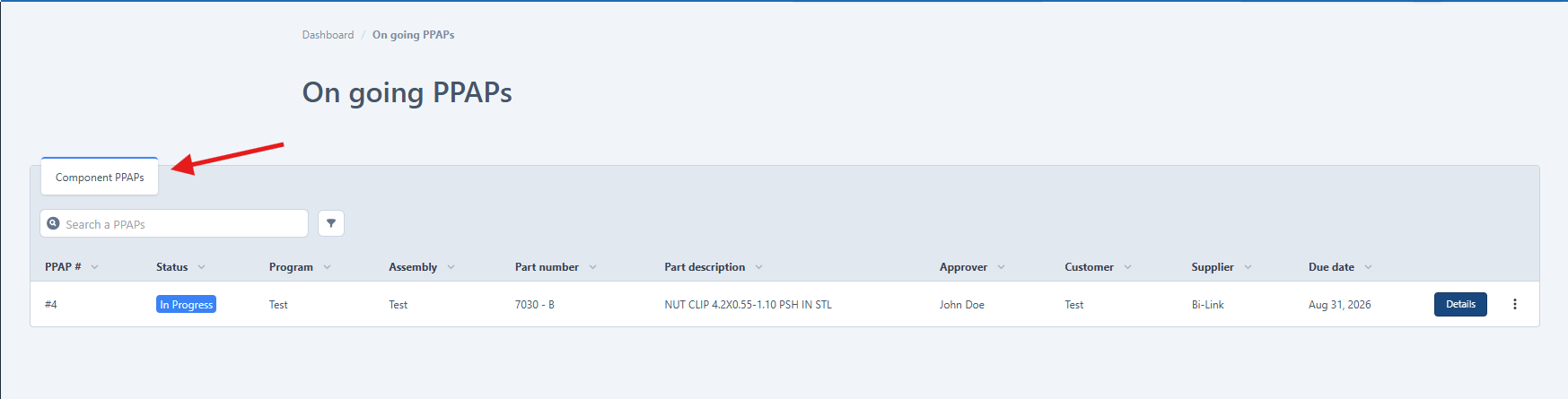
- Select the PPAP you want to download.
- Go to the Details section
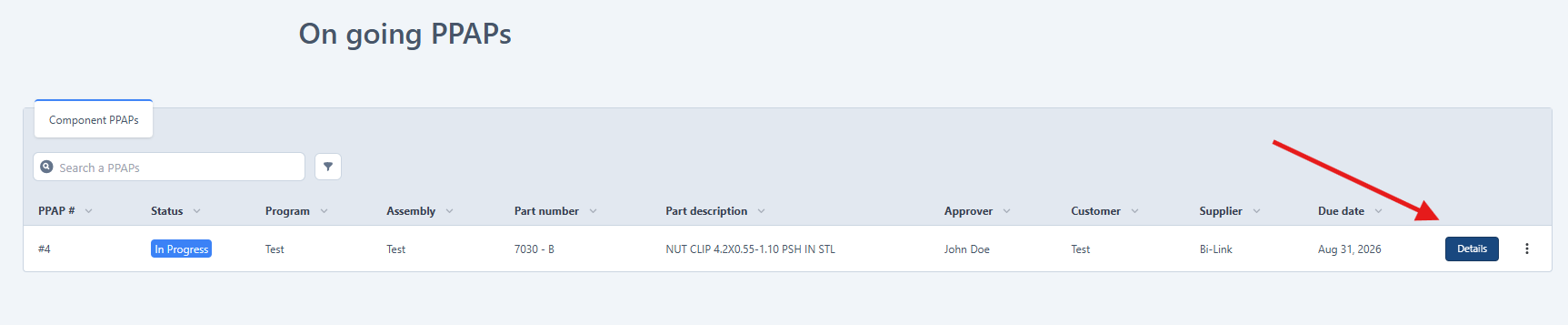
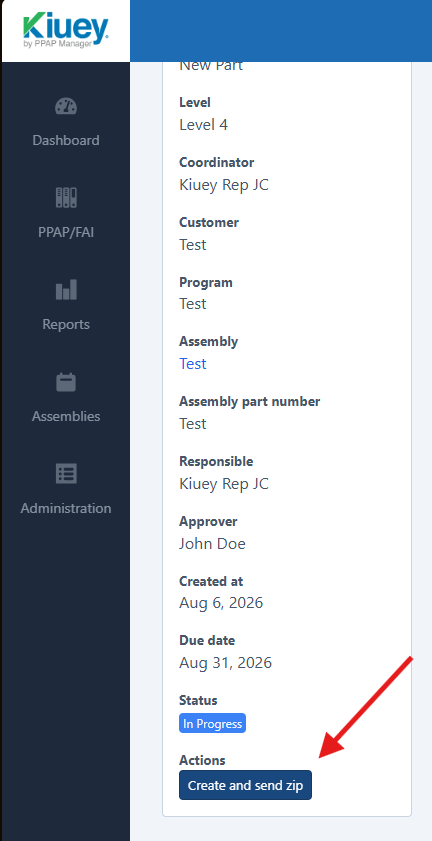
- Click Create and Send ZIP.
- Complete the modal that appears.
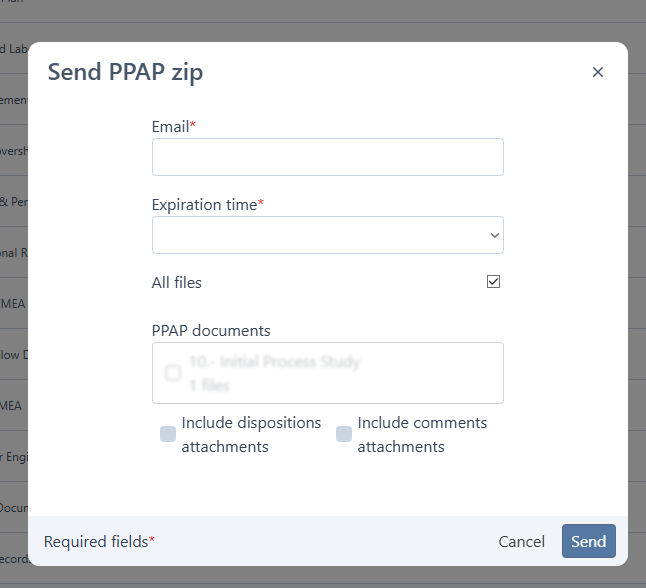
- Click Send to finish.
Note: You can select all the files to include in the ZIP.
Was this article helpful?
That’s Great!
Thank you for your feedback
Sorry! We couldn't be helpful
Thank you for your feedback
Feedback sent
We appreciate your effort and will try to fix the article