Note: The PSW Element Form must be configured by our team. Please contact us through our support channels (Ticket, Chat, or Email) to request this configuration.
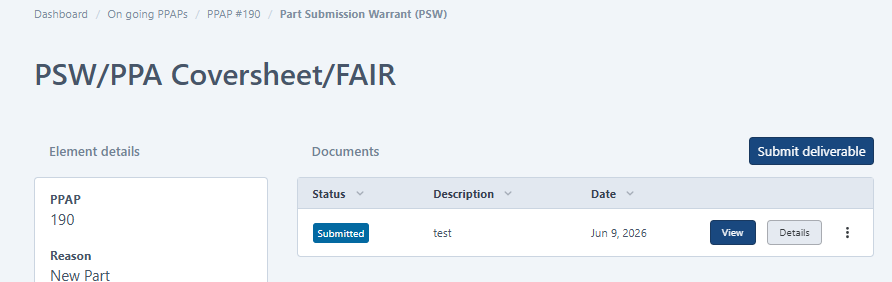
After the configuration is enabled, the default "PSW/PPA Coversheet/FAIR" deliverable is replaced with a form that can be completed directly in the system and exported as a PDF.
Before:
After:
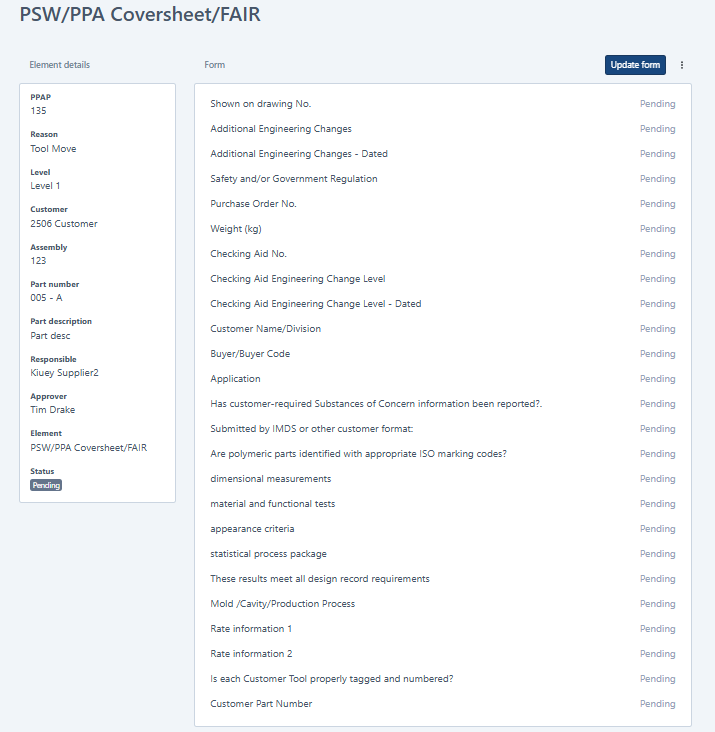
Complete the Form
The form can be completed by:
- The Assigned Responsible Supplier Contact
- The PPAP Coordinator
Fill out all required fields and save the form.
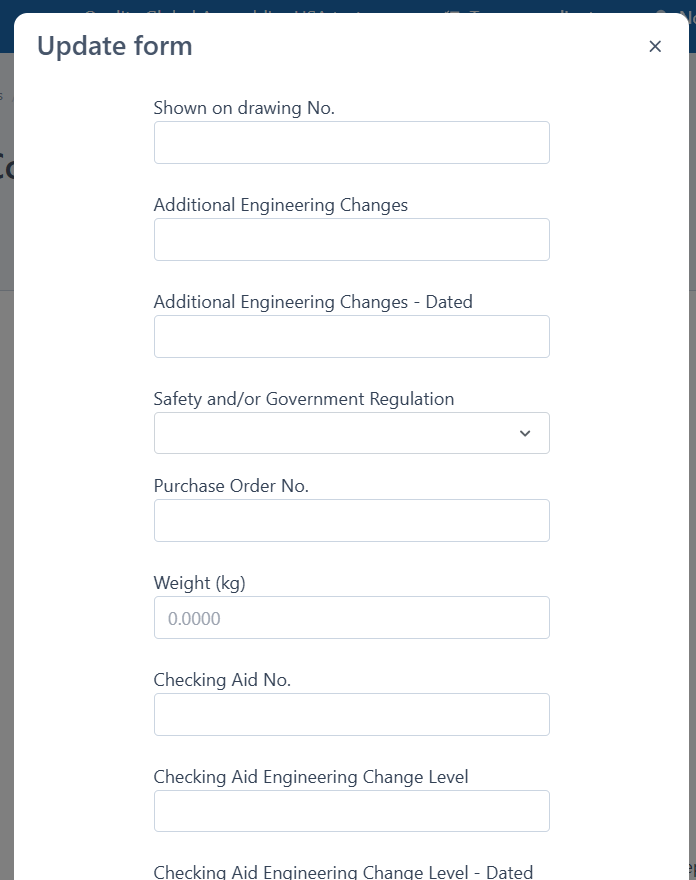
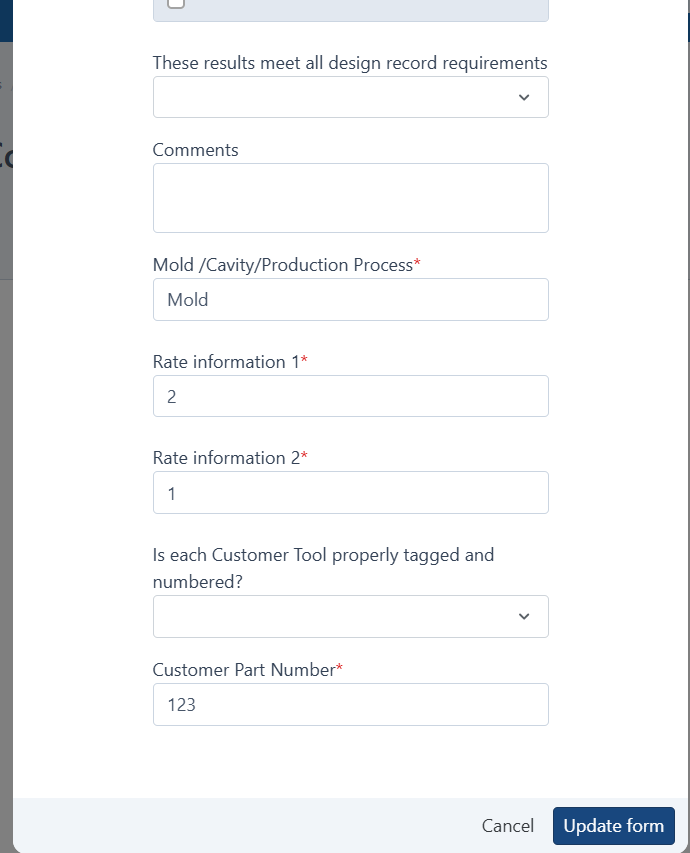
Update the form
- Click update form button
- Fill out all required items
- Save
Grant Disposition
After the form has been submitted:
- The designated approver reviews the submitted form.
- Click Grant Disposition.
- Process the disposition as you would for any other PPAP element.
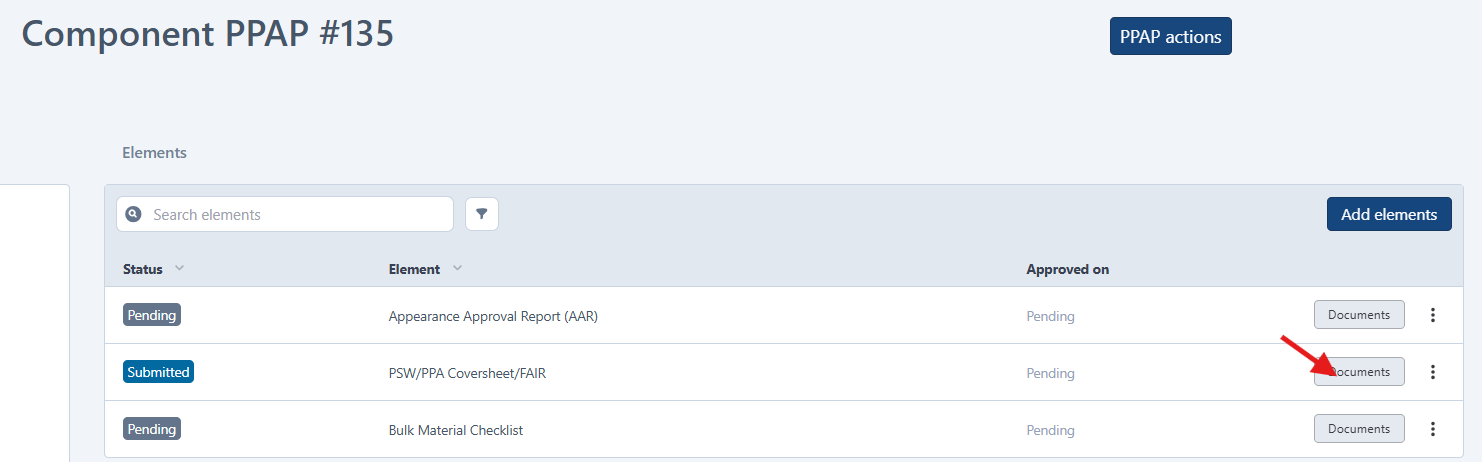

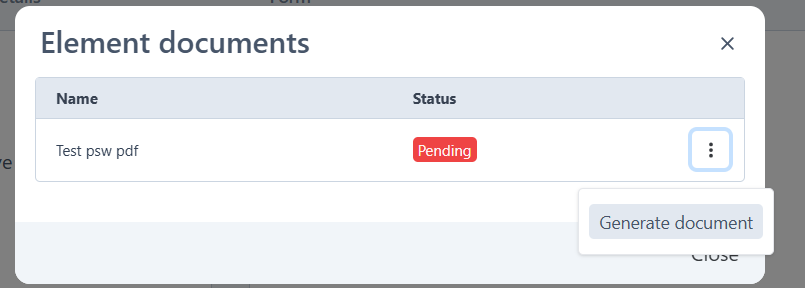
Generate the PDF
- Open the completed PSW Element Form.
- Click the three-dot menu (⋮).
- Select Show PDFs.
- Click Generate PDFs.
- Select Confirm.
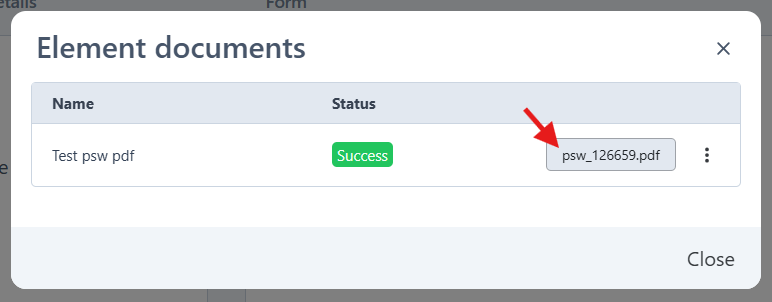
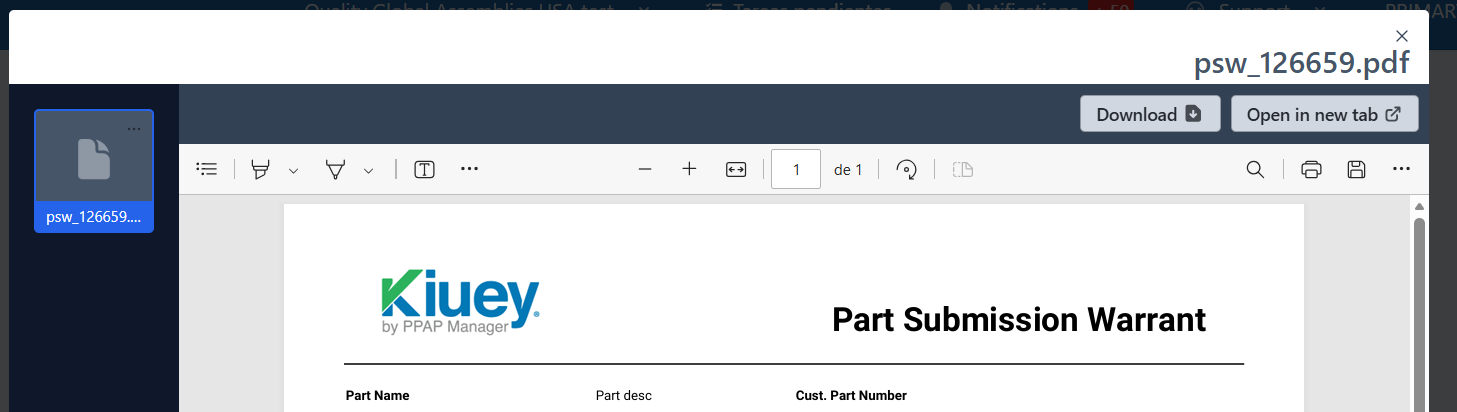
Download the PDF
After the PDF has been generated:
Option 1: Refresh the page
- Refresh the page.
- Click the three-dot menu (⋮).
- Select PDFs.
- Download the generated PDF.
Option 2: Use the direct link from the email
- Open the direct link received by email.
- Click the three-dot menu (⋮).
- Select PDFs.
- Download the generated PDF.
The PDF will then be available for download.
Was this article helpful?
That’s Great!
Thank you for your feedback
Sorry! We couldn't be helpful
Thank you for your feedback
Feedback sent
We appreciate your effort and will try to fix the article