request component apqp, component apqp, request apqp, apqp, assemblies, apqp phases, parts
OVERVIEW
This guide explains how to request an APQP for a part of an assembly (Component APQP).
Who is this for? Internal users
IMPORTANT NOTES
- Fields marked with an asterisk (*) are required.
- The phases and elements shown depend on the template selected for the APQP.
WHO CAN DO THIS
Internal user: Can request a Component APQP from the part list of an assembly.
Steps
1
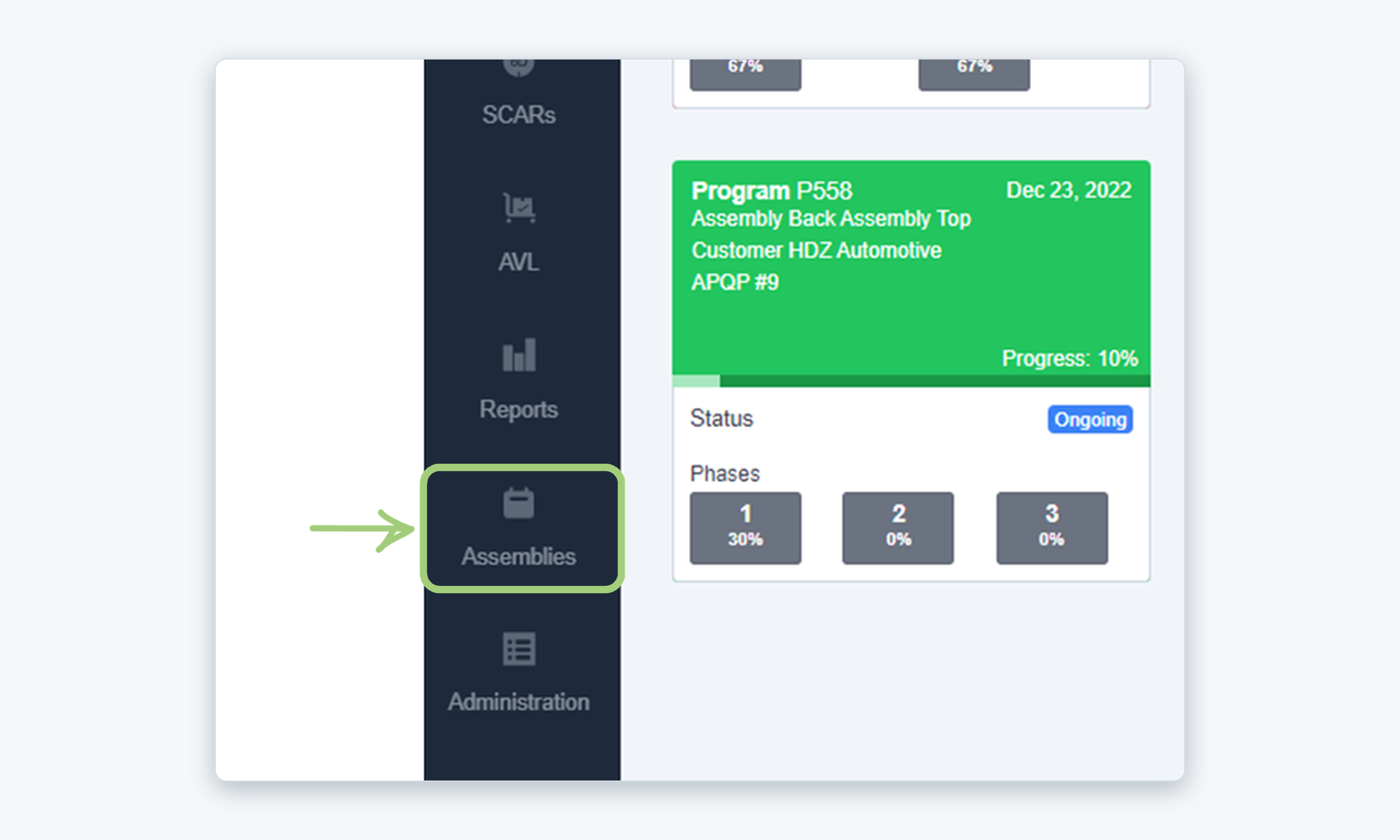
Go to Assemblies
In the left menu, click Assemblies.
2
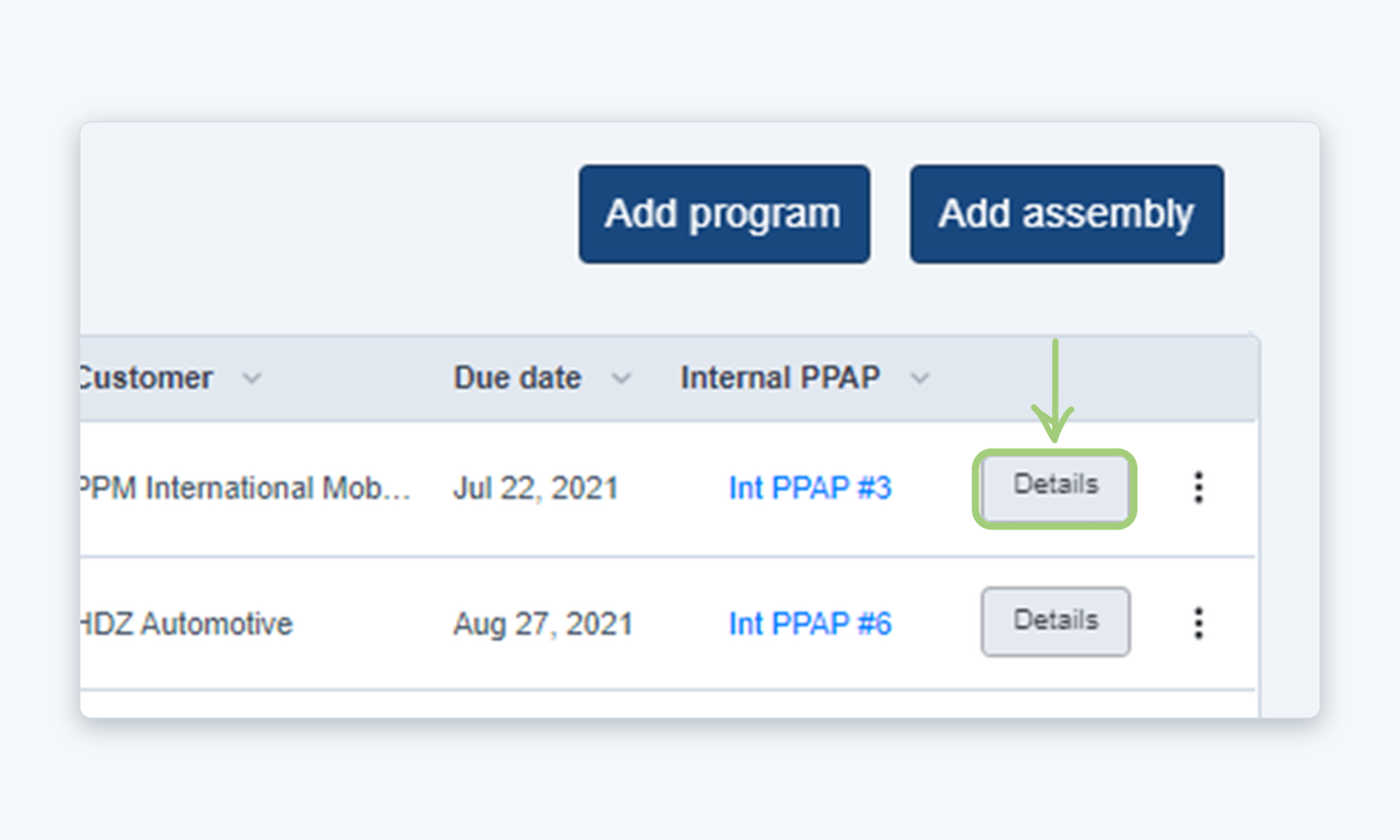
Open the assembly
In the Assemblies list, find the assembly (you can use the Search a program box) and click Details on its row.
3
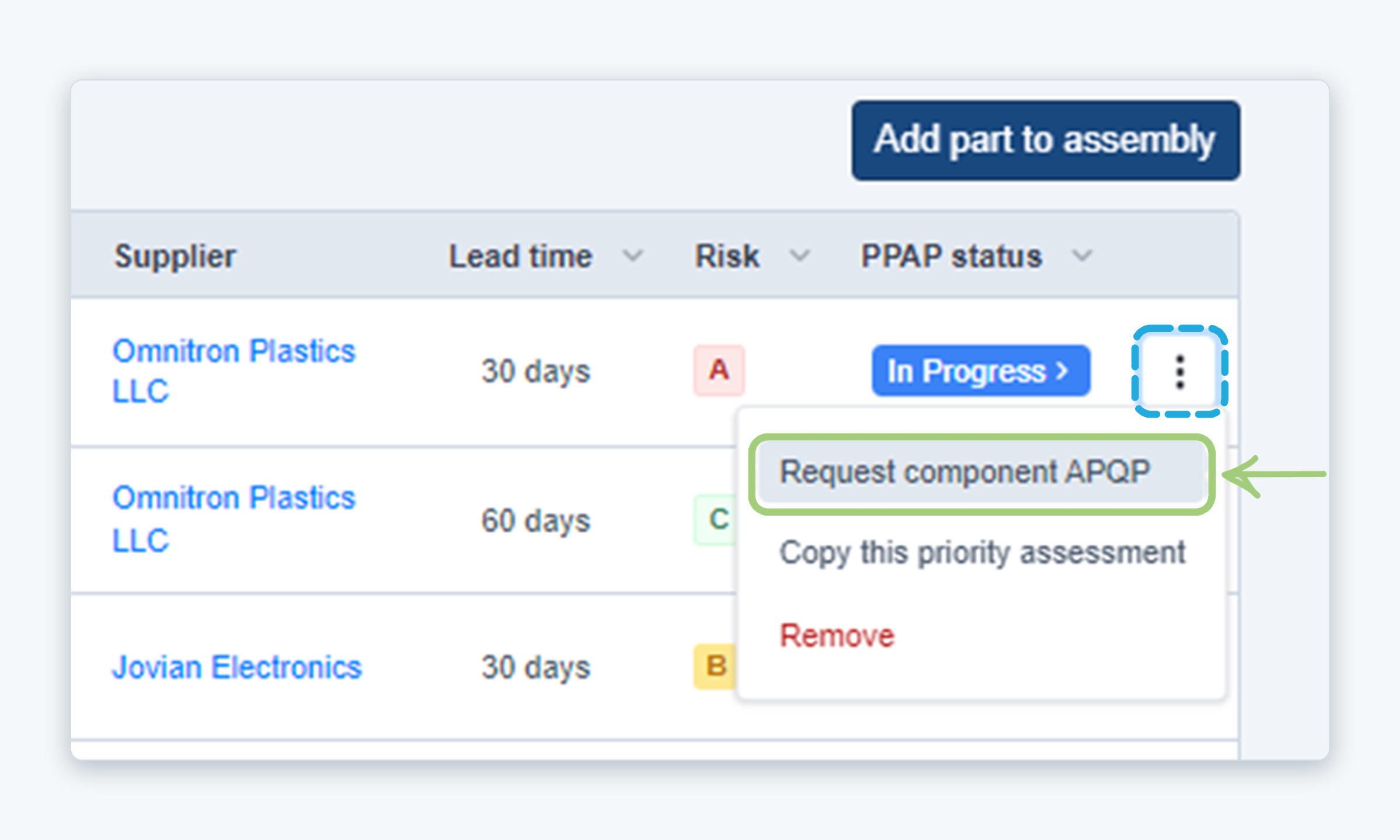
Select Request component APQP
In the Parts list, click the three dots (⋮) next to the part and select Request component APQP. The menu also includes Copy this priority assessment and Remove.
4
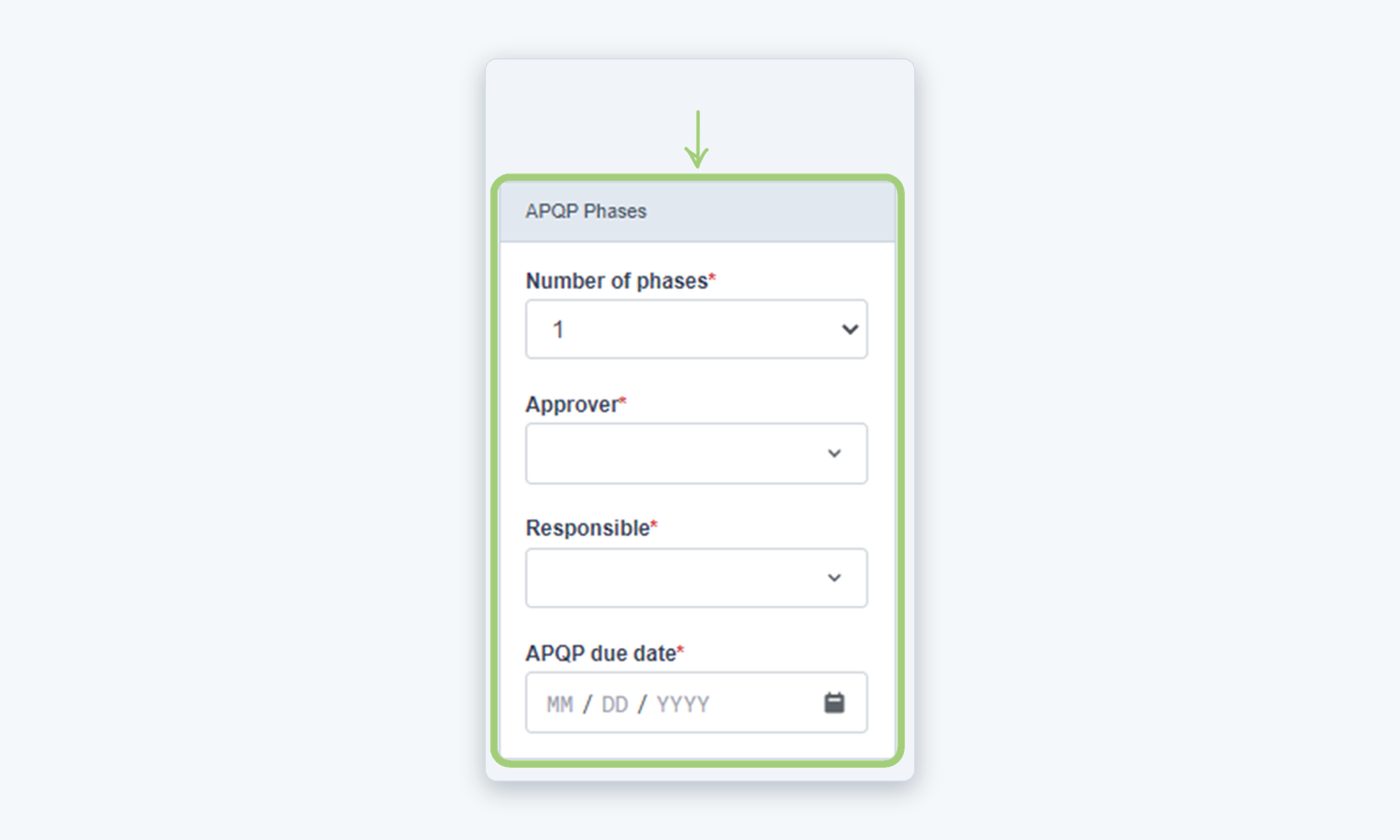
Complete the APQP Phases
On the Request APQP page, use the APQP Phases panel to select the Number of phases, the Approver and the Responsible, and to enter the APQP due date. Required fields are marked with an asterisk (*).
5
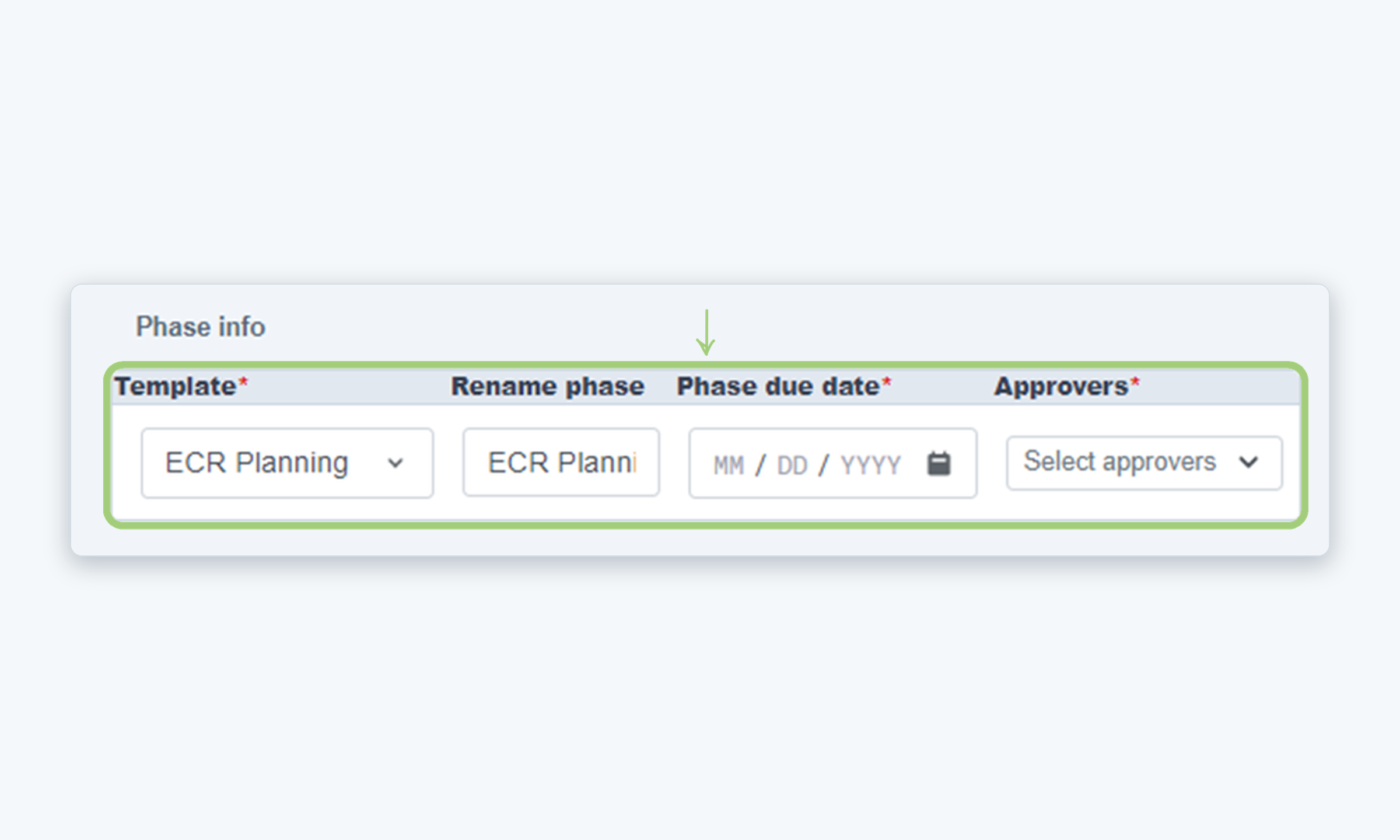
Complete the Phase info
In Phase info, select the Template, rename the phase if needed (Rename phase), enter the Phase due date and select the Approvers.
6
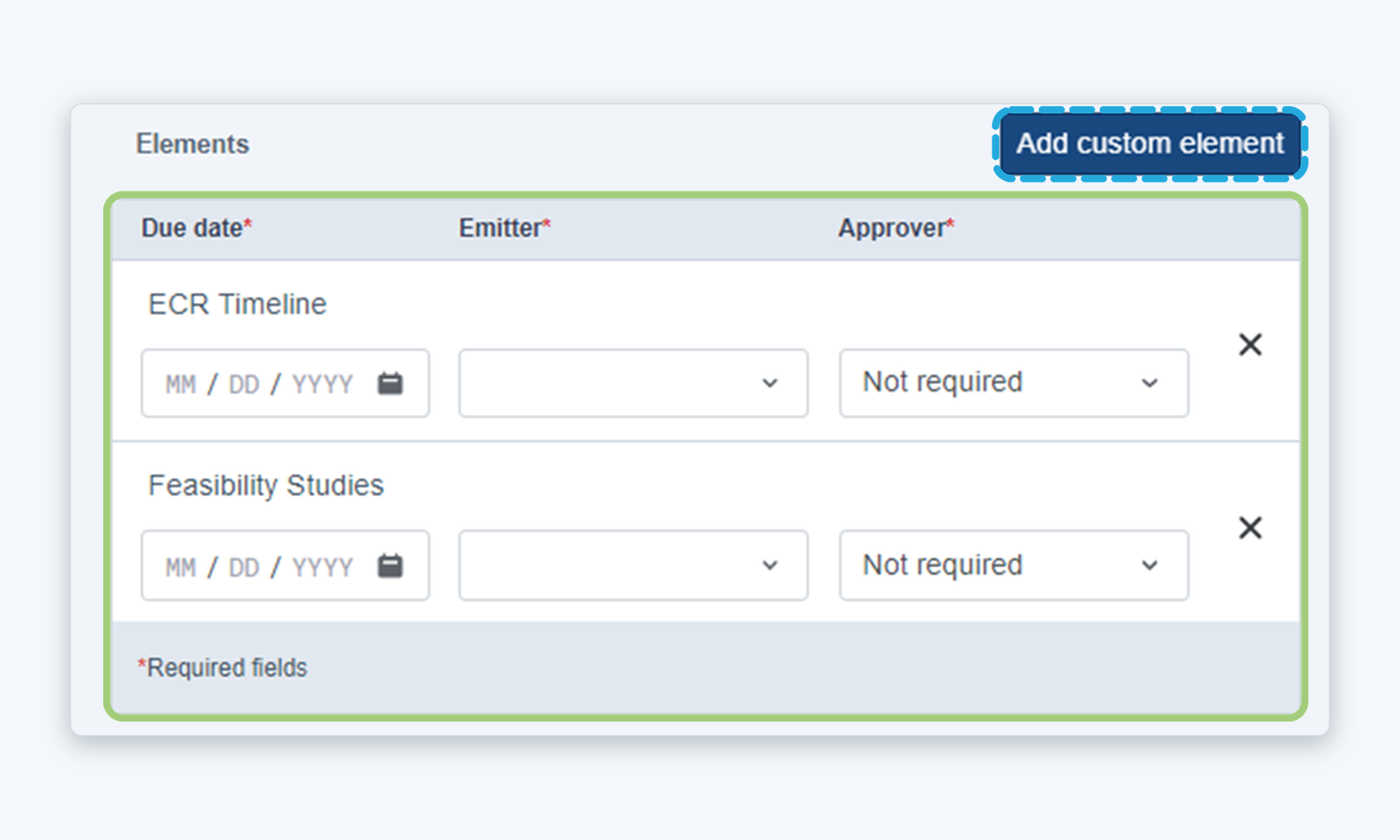
Complete the Elements
In Elements, enter the Due date, select the Emitter and the Approver for each element. Click the X to remove an element, or click Add custom element to add one.
7
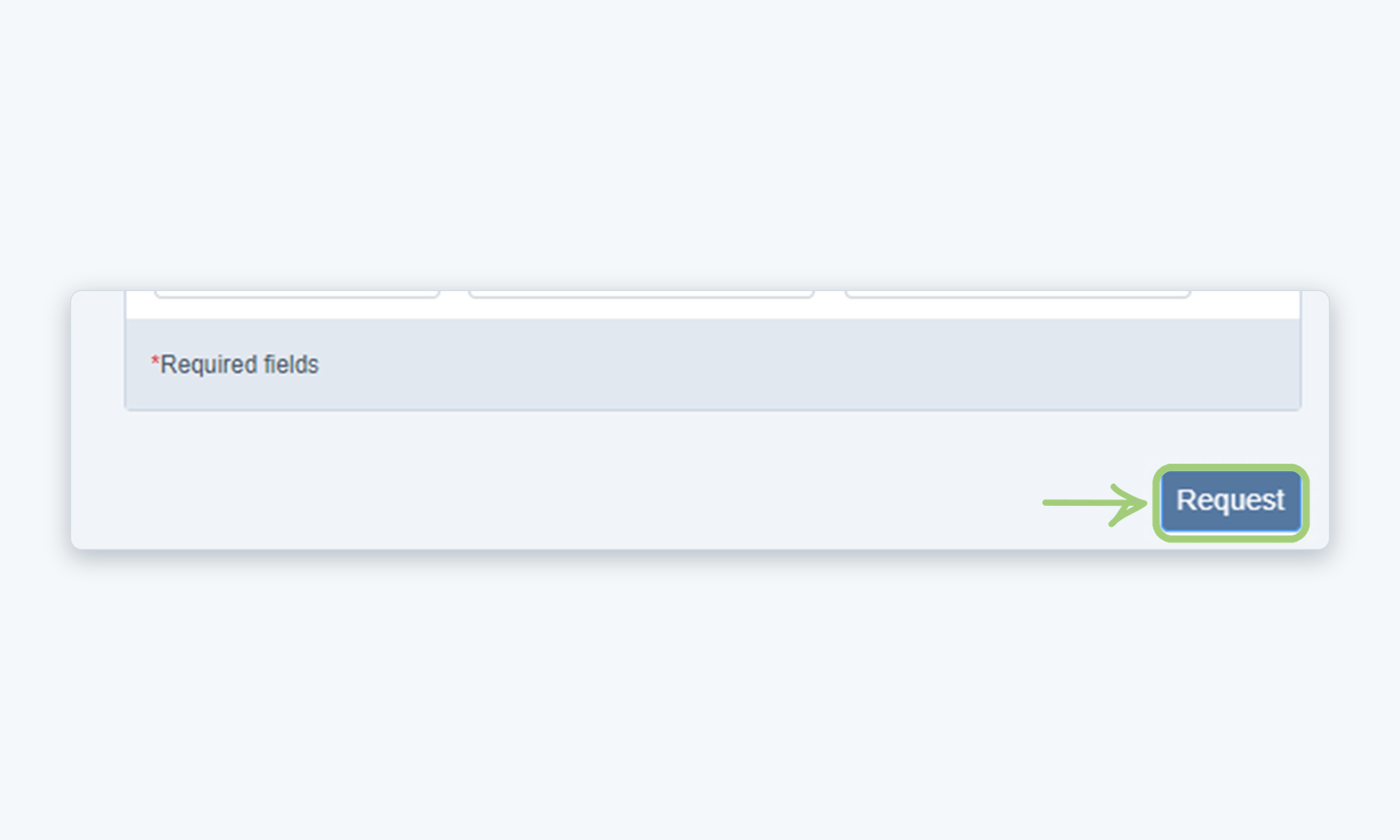
Click Request
When all required fields are complete, click Request to send the Component APQP request.
Need more help?
If you have any questions or concerns, please contact Kiuey Support by submitting a ticket or through any of our support channels. Our team will be happy to assist you.