[Elements] How to Delete APQP Elements (Deliverables) that do not have Disposition

Created by Kiuey Support, Modified on Mon, Nov 23 at 2:00 PM by Kiuey Support Representative

delete deliverable, APQP element, no disposition, submitted status, supplier

OVERVIEW

If a supplier requires the need to delete an APQP deliverable that does not have a Disposition Status:

Who is this for?  Suppliers

Steps
1

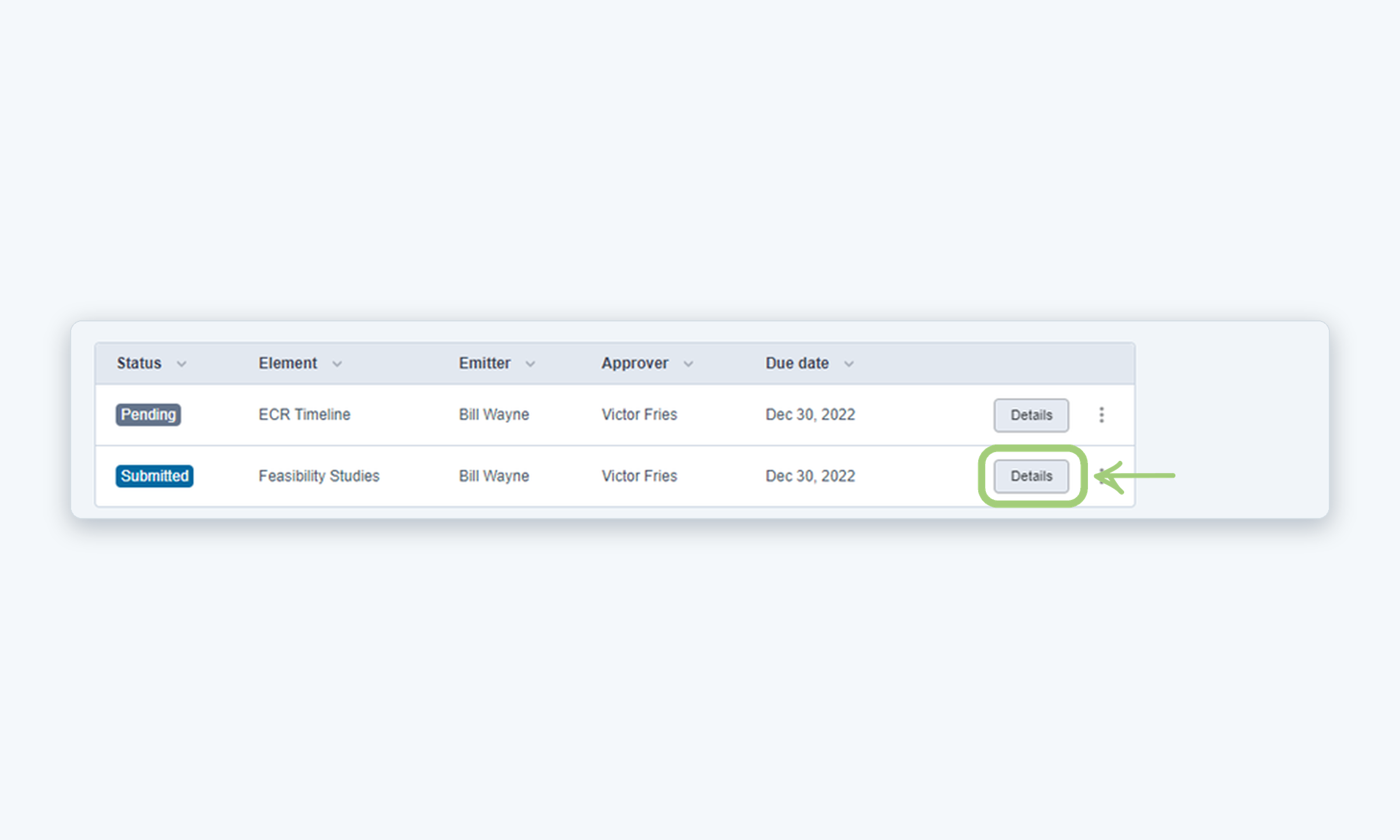
Click Details

Locate the Deliverable without Disposition (Submitted Status) and click on the Details Button.

2

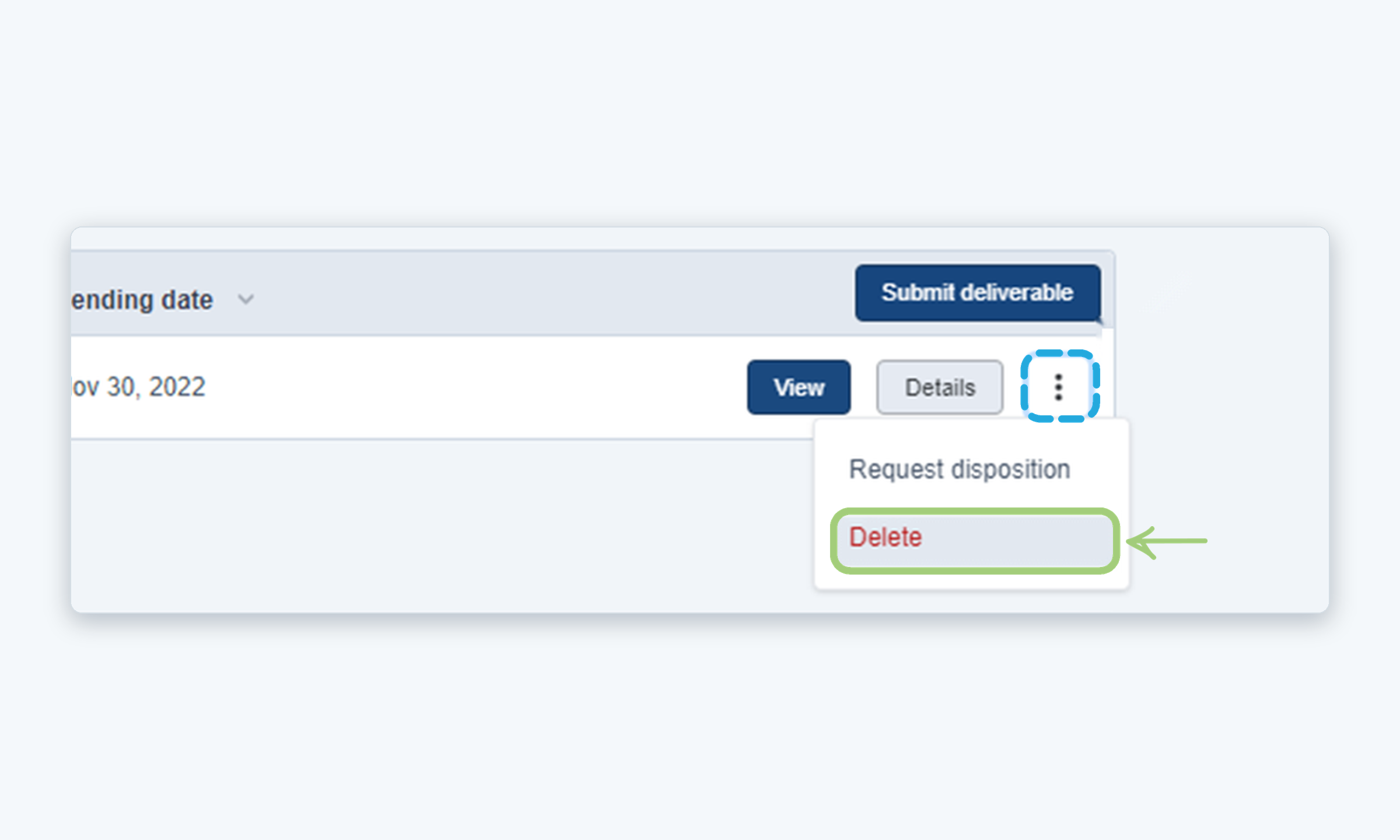
Select Delete

Click on the Menu Icon (button with three dots) then click on Delete.

3

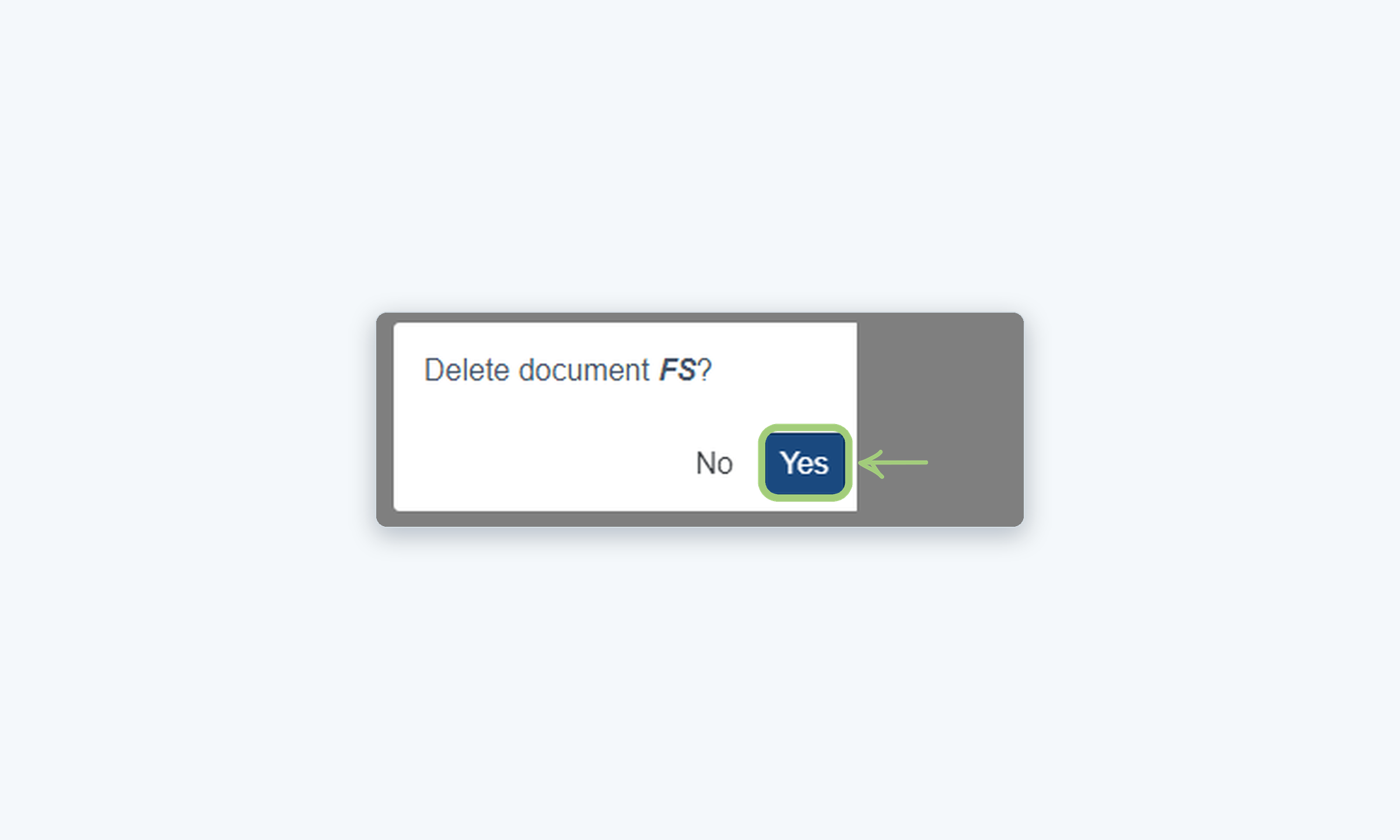
Click Yes

Click on Yes if you wish to continue.

4

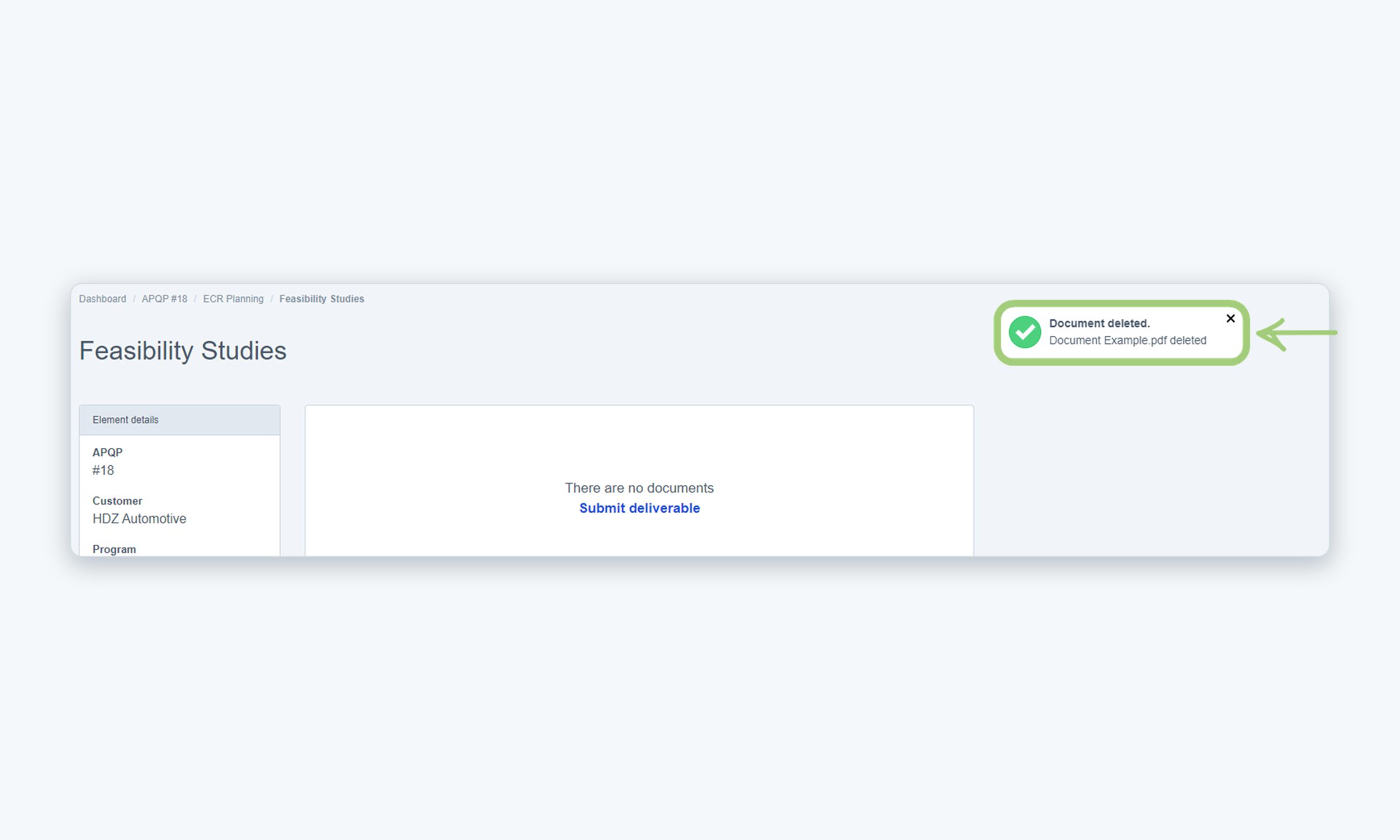
Check the result

A pop up will appear to confirm the action. You can now Submit a new Deliverable.

Need more help?

If you have any questions or concerns, please contact Kiuey Support by submitting a ticket or through any of our support channels. Our team will be happy to assist you.

Was this article helpful?

That’s Great!

Thank you for your feedback

Sorry! We couldn't be helpful

Thank you for your feedback

Let us know how can we improve this article!

Select at least one of the reasons

Feedback sent

We appreciate your effort and will try to fix the article