OVERVIEW
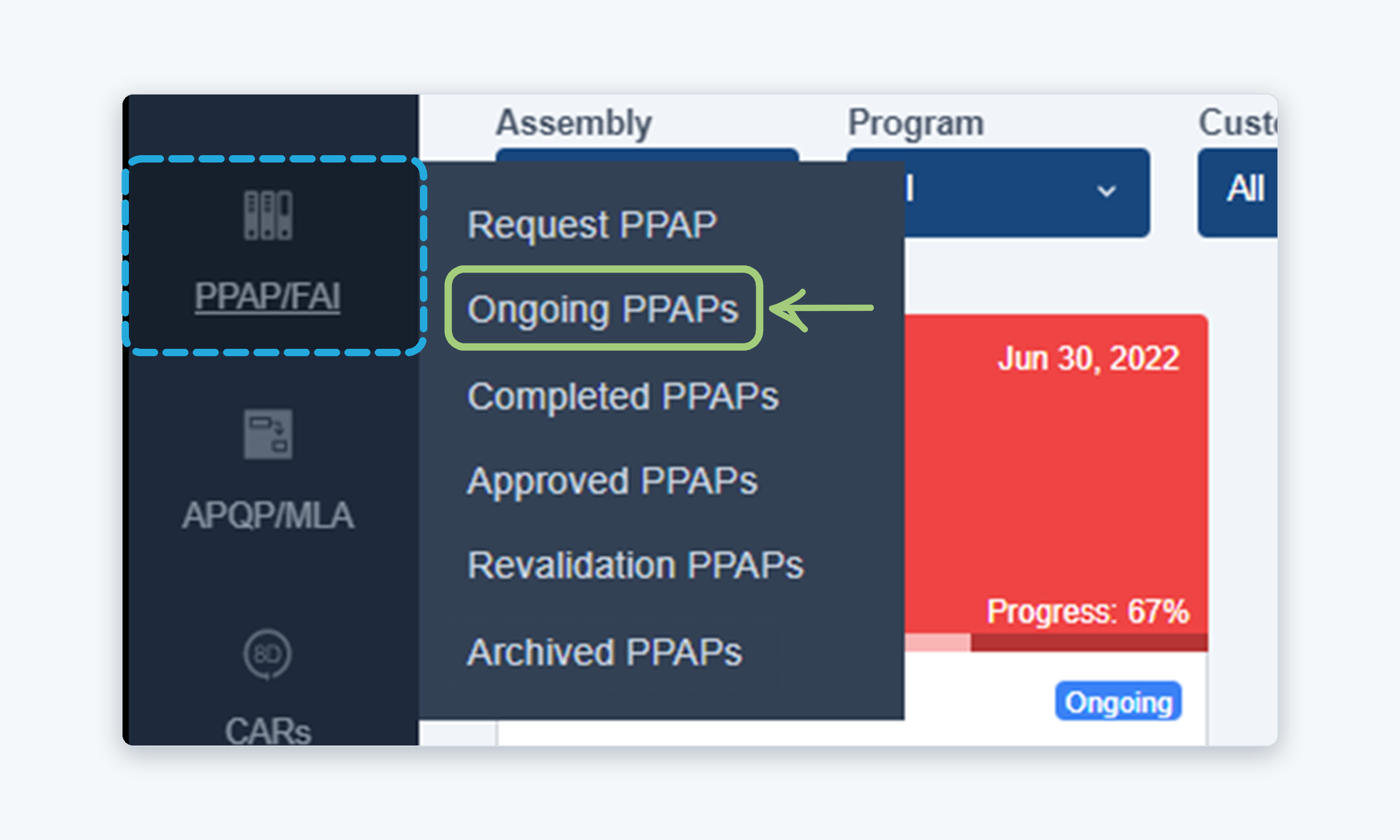
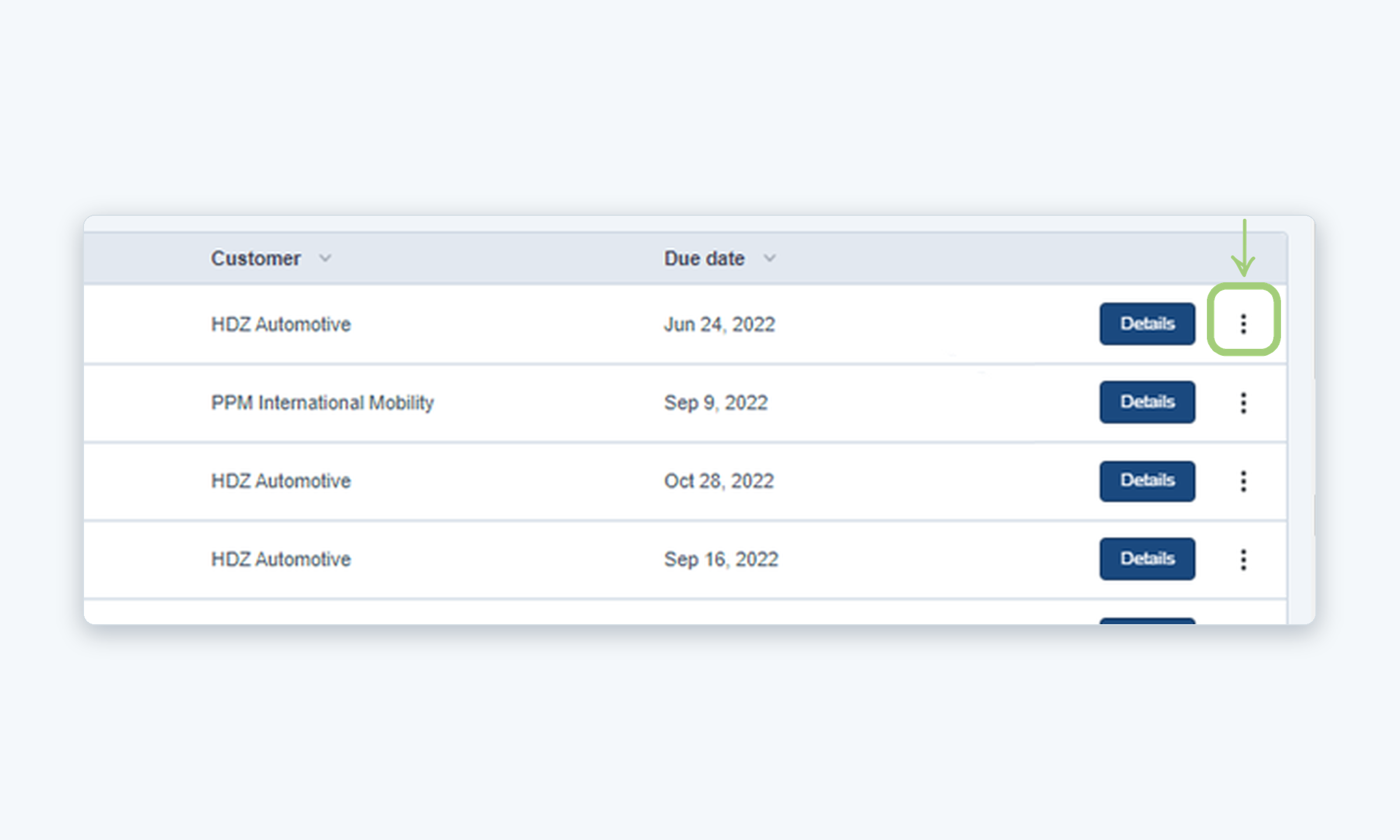
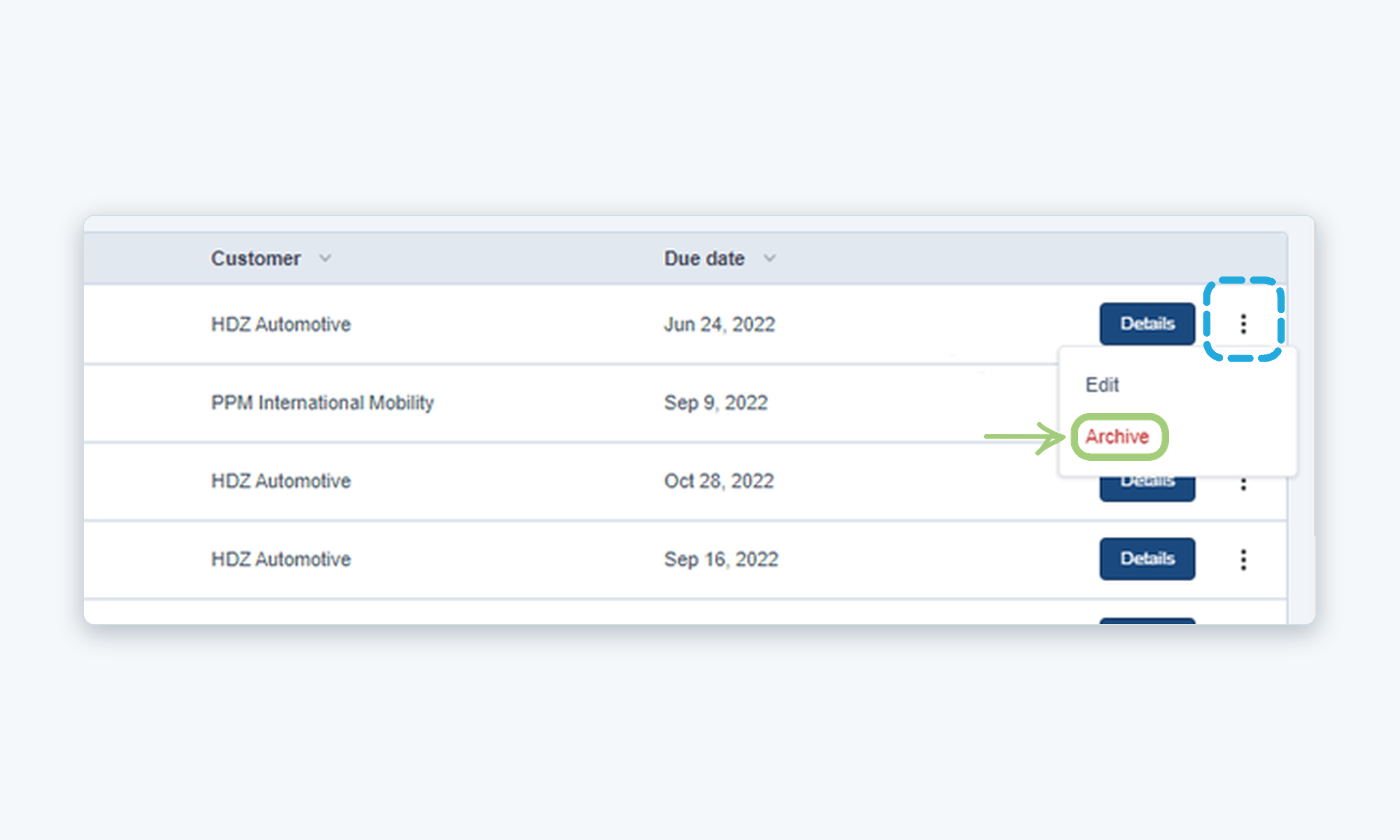
This guide explains how to archive a PPAP so it no longer appears in the Ongoing PPAPs list.
Who is this for? Internal users
IMPORTANT NOTES
- Archived PPAPs can be found in the left menu under PPAP/FAI > Archived PPAPs.
- An archived PPAP can be restored at any time. See the article How to Unarchive a PPAP.
WHO CAN DO THIS
Internal user: Can archive PPAPs from the Ongoing PPAPs list.
Steps
Need more help?
If you have any questions or concerns, please contact Kiuey Support by submitting a ticket or through any of our support channels. Our team will be happy to assist you.
Was this article helpful?
That’s Great!
Thank you for your feedback
Sorry! We couldn't be helpful
Thank you for your feedback
Feedback sent
We appreciate your effort and will try to fix the article