NOTE: Editing a part revision will affect all records (active and archived). If a new revision is needed, we recommend creating a new part revision instead. See this guide for steps, or contact support@kiuey.com for assistance.
1. From the Administration tab, click Parts.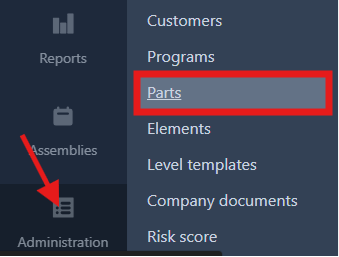
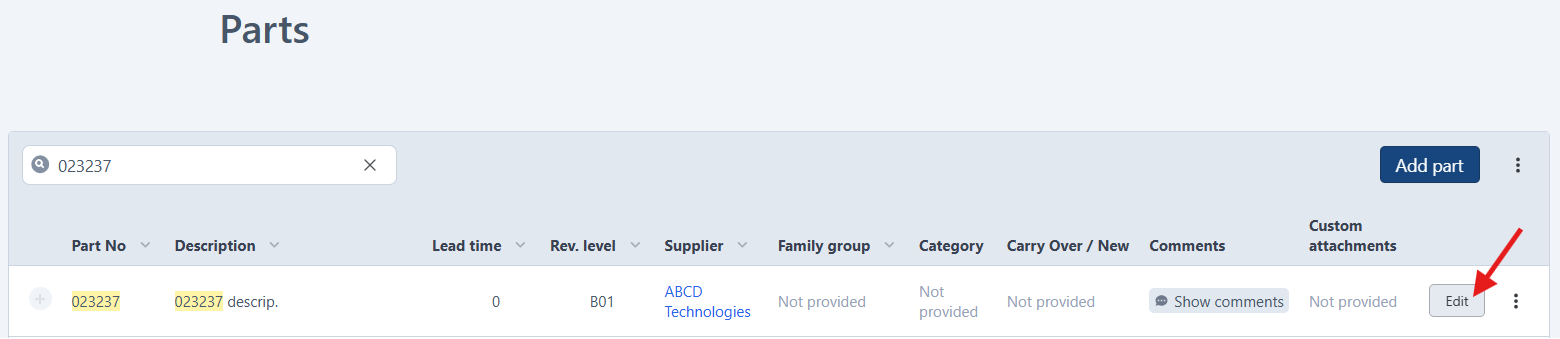
2. Search for the part that requires a revision edit, then click Edit.
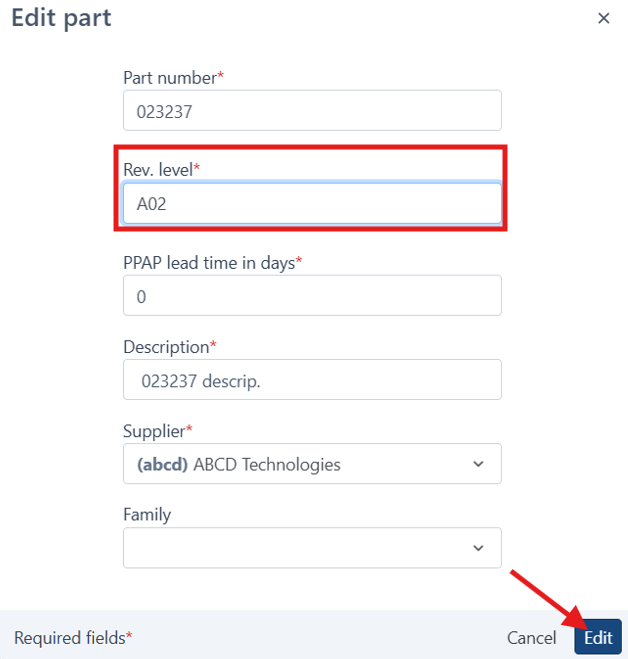
3. Change the Revision (Rev.) level, then click Edit to save your changes.
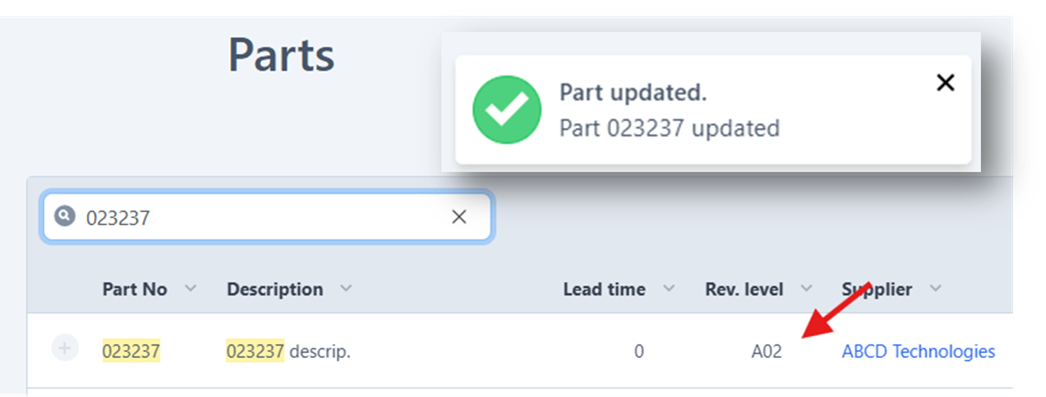
4. A confirmation message will appear. It is recommended to refresh the page to see the edited revision.
Reminder: Updating a part revision will also edit all related records for that part.
Was this article helpful?
That’s Great!
Thank you for your feedback
Sorry! We couldn't be helpful
Thank you for your feedback
Feedback sent
We appreciate your effort and will try to fix the article