The Material Review Process can be initiated for both SCARs and RPS by users with the required role.
The MRB Committee is a separate group responsible for reviewing and approving or rejecting the proposed disposition.
If any of these roles are required, please submit a support ticket and our team will be happy to assist.
1. Start a Material Review:
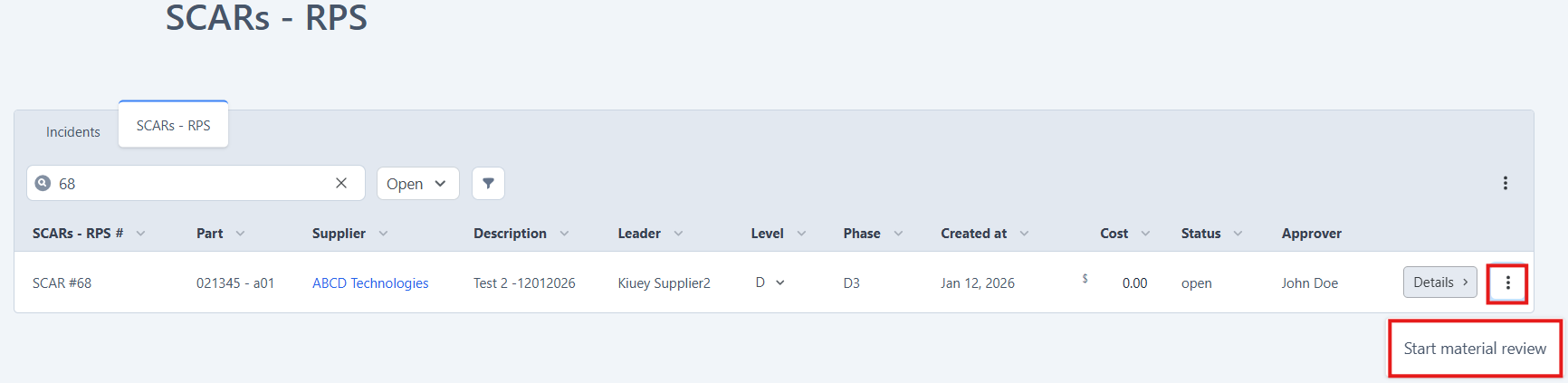
- Locate the SCAR or RPS that requires a Material Review.
- Click the three-dot menu and select Start Material Review.
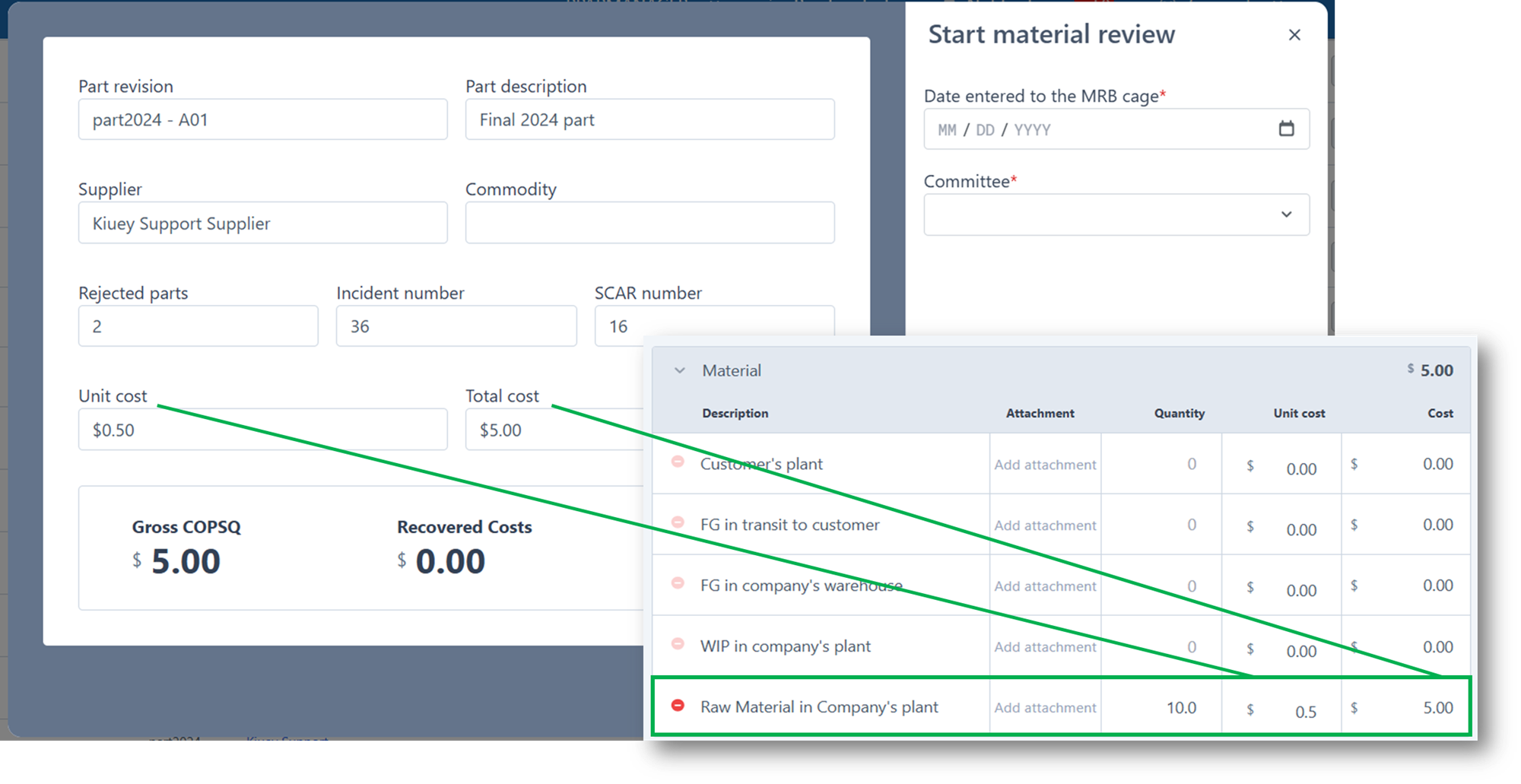
2. Review MRB details and enter required fields (Date entered to the MRB cage and Committee).
All MRB data comes directly from the associated SCAR or RPS where the MRB is initiated.
- Unit cost: Pulled from the Raw Material Company’s plant material unit cost.
- Total cost: Pulled from the Raw Material Company’s plant material Cost (Quantity x Unit Cost).
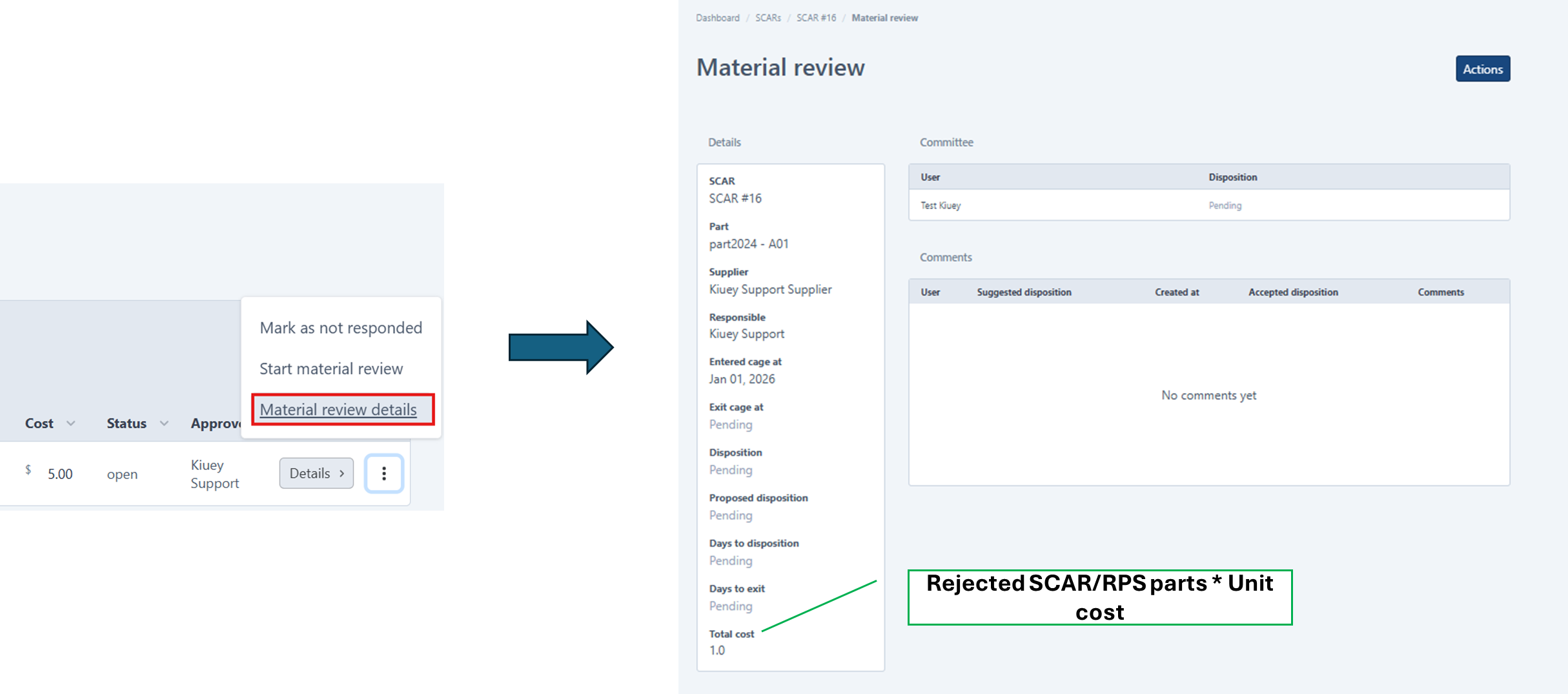
3. After the MRB is started, the Material Review Details button will be enabled for the Creator and the assigned Committee.
Here, details of the MRB can be viewed.
Total cost is calculated: REJECTED PARTS * Raw Material Company’s plant Unit Cost
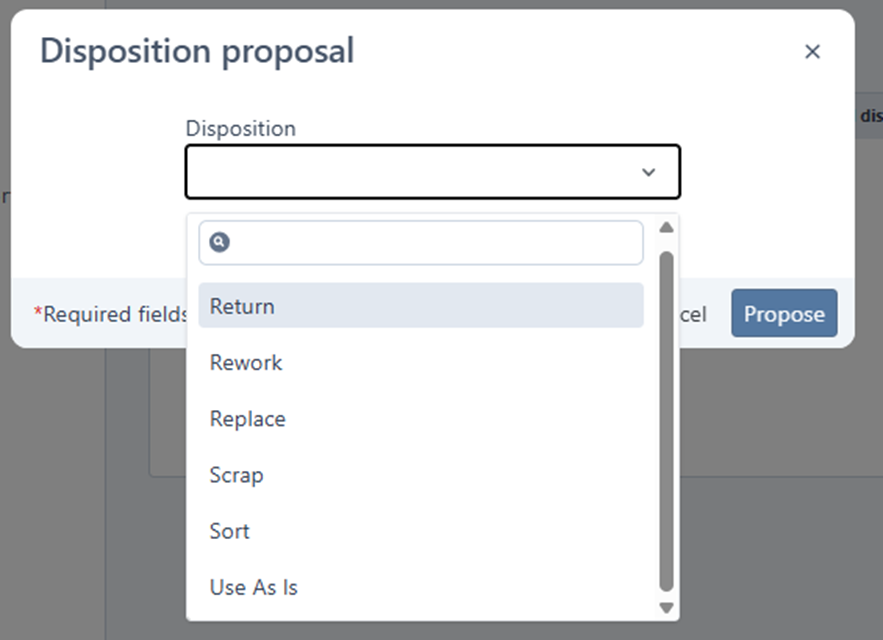
4. Propose Disposition: The MRB creator must propose a disposition by selecting Propose Disposition from the Actions menu.

Select the proposed dispostion, then click Propose.
5. Committee Review: The committee reviews the proposed disposition and either approves or rejects it.
Note: All committee members must approve for the final disposition to be updated.
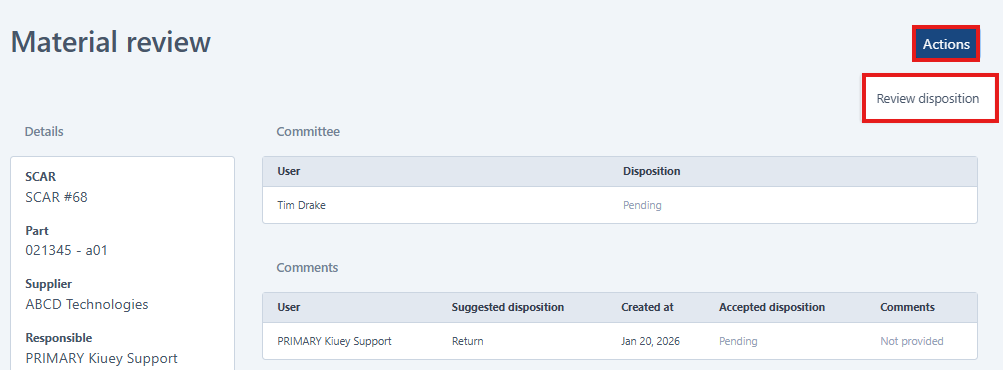
a) If REJECTED, the committee member must provide a reason, and the final disposition will remain PENDING until full approval is received.
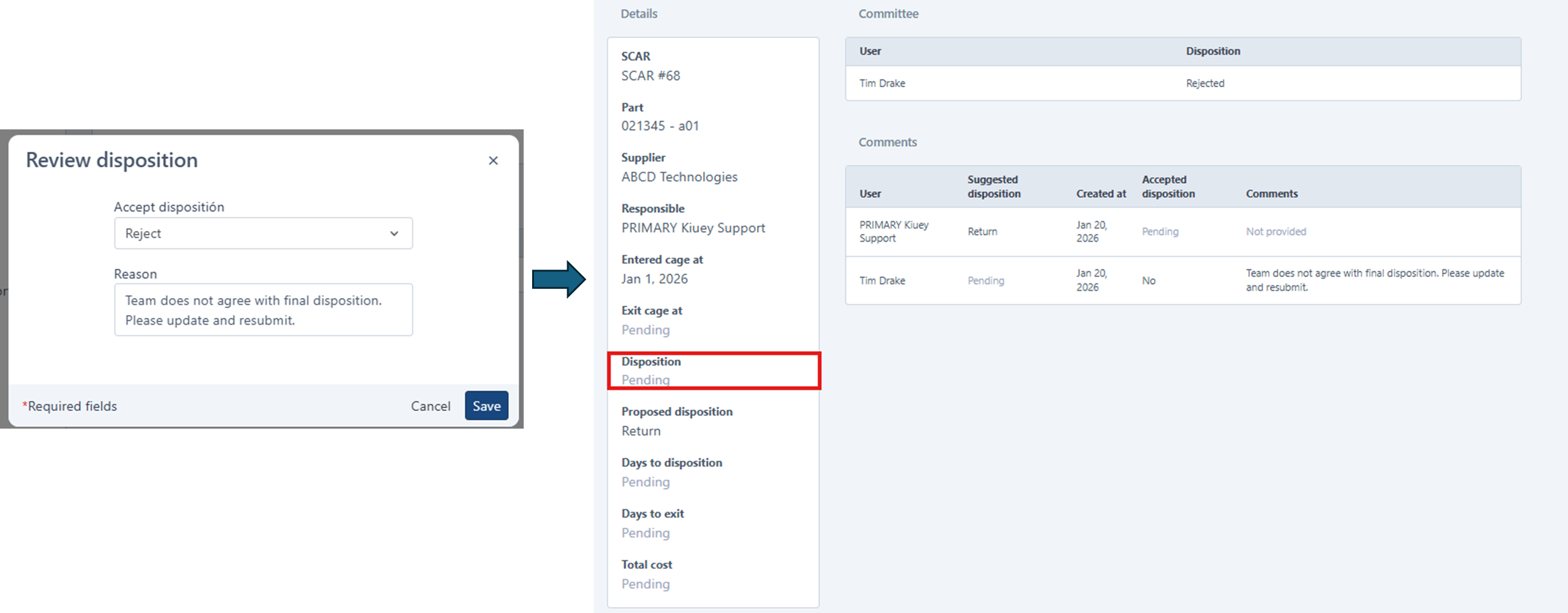
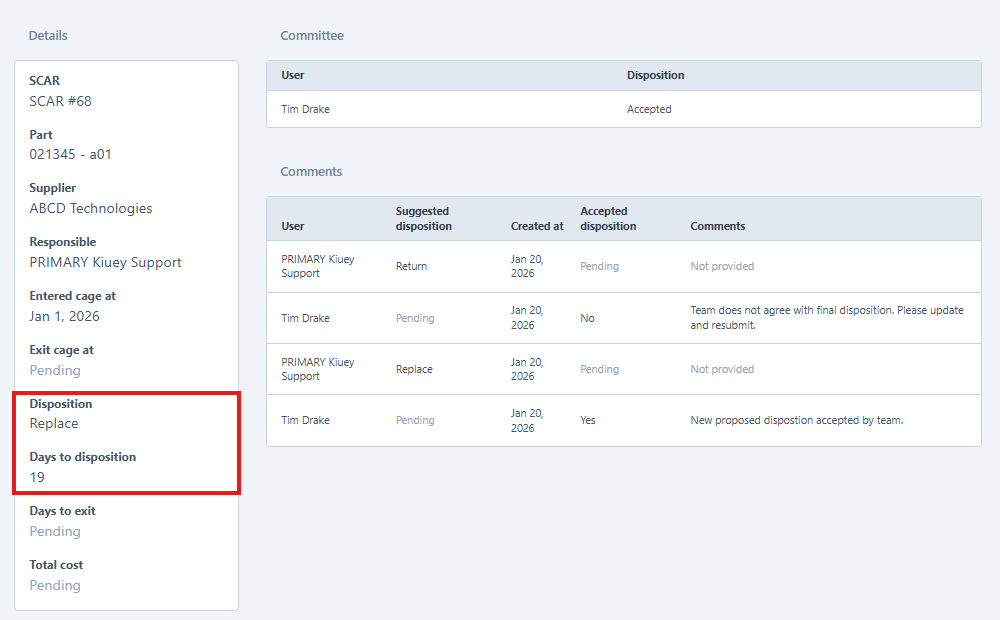
b) If ACCEPTED, the accepted Disposition and Days to Disposition detail fields are automatically updated.
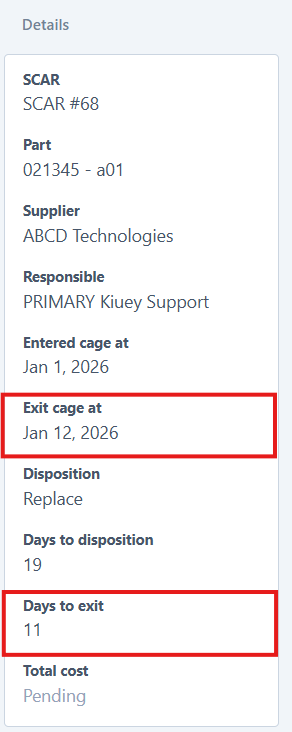
6. Close the MRB: Once the dispostion has been accepted the Creator of the MRB can then CLOSE the MRB and provide the Date to EXIT the MRB cage.
Click Actions from top of MRB details, input Date then Save.

This will automatically update the Exit cage and Days to exit fields.
Was this article helpful?
That’s Great!
Thank you for your feedback
Sorry! We couldn't be helpful
Thank you for your feedback
Feedback sent
We appreciate your effort and will try to fix the article